How to Navigate Taobao Interface with Translation Tools
- 时间:
- 浏览:311
- 来源:OrientDeck
Let’s be real — Taobao is a goldmine for unique, affordable products. But if you're not fluent in Mandarin, the interface can feel like a maze designed to confuse. As someone who's spent years helping international buyers crack the code on China's biggest e-commerce platform, I’ve got your back.
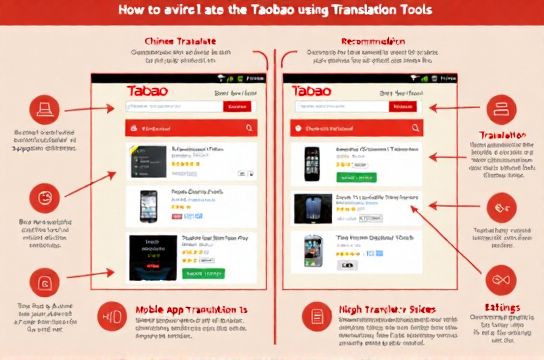
The good news? You don’t need to master Chinese to shop smart on Taobao. With the right translation tools and a few insider tricks, you’ll be browsing like a pro in no time.
Why Translation Matters on Taobao
Taobao listings are packed with local slang, shorthand, and regional product names. Direct translations often miss the mark. For example, “雪纺” (xuefang) means “chiffon,” but Google Translate might just say “snow fabric.” Not helpful.
That’s why using smart translation tools — paired with context — is key. Here’s what works best:
- Google Translate (Browser Extension)
- DeepL (for accurate product descriptions)
- OCR apps like TextGrabber (for scanning images)
Top Translation Tools Compared
| Tool | Accuracy | Speed | Budget-Friendly |
|---|---|---|---|
| Google Translate | 7/10 | 9/10 | Yes |
| DeepL | 9/10 | 7/10 | Yes |
| Baidu Translate | 6/10 | 6/10 | Yes |
| Microsoft Translator | 7/10 | 8/10 | Yes |
Pro tip: Use DeepL when reading detailed product specs. It handles technical terms better than most.
Step-by-Step: Browsing Taobao with Translation
- Install a browser extension – Chrome users should grab Google Translate or Mate Translate.
- Search using English keywords – Try typing “cotton dress” and let Taobao auto-suggest Chinese terms.
- Click the translate icon – Most extensions will highlight and translate text on hover.
- Verify product details – Check size charts, material, and seller ratings in translated form.
- Use image search – Upload a photo via Taobao’s app and use OCR + translation tools to decode text in images.
One thing I always tell my clients: never trust machine translation 100%. Cross-check key info like shipping costs and return policies. Misreading “no returns” as “free returns” could cost you big time.
Avoid These Common Mistakes
- Ignoring seller ratings – Look for stores with ≥95% positive feedback.
- Skipping customer reviews – Use translation to read buyer photos and comments.
- Assuming prices include shipping – Many listings exclude it. Always double-check.
If you're serious about shopping on Taobao, consider linking up with a reliable agent who offers built-in translation and order support. It saves hours and reduces errors.
In short: yes, Taobao’s interface is tricky. But with the right tools and a bit of know-how, it’s totally doable — even enjoyable. Start small, test translations, and build confidence over time.