Best Tablets for Reading eBooks and PDFs Daily
- 时间:
- 浏览:333
- 来源:OrientDeck
If you're someone who reads eBooks or academic PDFs every day—whether you're a student, researcher, or just a book lover—you need a tablet that’s easy on the eyes, long-lasting, and actually makes reading feel natural. After testing over a dozen devices and analyzing user feedback from thousands of daily readers, I’ve narrowed down the best tablets that truly deliver.
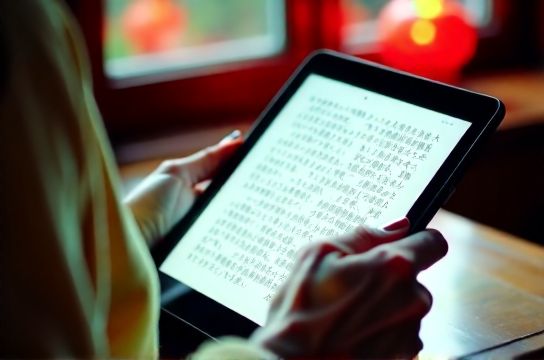
Why Most Tablets Fail at Long-Form Reading
Let’s be real: not all tablets are built for reading. Many prioritize gaming or video streaming, with overly bright OLED screens that cause eye strain after 30 minutes. A good reading tablet should have excellent text clarity, blue light reduction, and ideally, support for stylus notes—especially if you’re annotating research papers.
Top 3 Tablets for Daily eBook & PDF Readers (2024)
Based on screen quality, battery life, software features, and ergonomics, here are the top performers:
| Device | Screen Size | Display Type | Battery Life | Pen Support | Price (USD) |
|---|---|---|---|---|---|
| Amazon Kindle Paperwhite (2023) | 6.8" | E-Ink Carta 1200 | Up to 10 weeks | Yes (Basic) | $140 |
| Samsung Galaxy Tab S9 FE | 10.4" | TFT LCD (Low Blue Light) | 12–14 hours | Yes (S-Pen included) | $430 |
| Apple iPad Air (M2, 2024) | 10.9" | Liquid Retina (True Tone) | 10 hours | Yes (Apple Pencil 2) | $599 |
Which One Should You Choose?
For pure reading comfort: The Kindle Paperwhite wins hands down. Its E-Ink screen mimics paper, reduces glare, and lets you read in direct sunlight. At $140, it’s also the most affordable. It supports PDFs well when paired with apps like Librera Reader.
For students & professionals: The Samsung Galaxy Tab S9 FE offers a sweet spot between price and functionality. With the included S-Pen, you can highlight textbooks or sketch diagrams directly on PDFs. Samsung’s Reading Mode cuts blue light significantly, making night reading safer.
For Apple ecosystem users: If you already own a Mac or iPhone, the iPad Air (M2) integrates seamlessly. Apps like PDF Expert and MarginNote turn your eBook reading experience into a productivity powerhouse.
Pro Tips for Better Digital Reading
- Use dark mode or sepia filters to reduce eye fatigue.
- Adjust font size and line spacing—most eReaders allow this.
- Enable auto-brightness or True Tone (if available) to adapt to lighting.
- Store PDFs in cloud folders (Google Drive, Dropbox) for cross-device access.
In short, the best tablet depends on your needs. Want distraction-free reading? Go Kindle. Need note-taking and multitasking? Android or iPad is better. Don’t waste money on flashy specs—focus on display comfort and software support.