Tablets with Desktop Mode for Laptop Like Use
- 时间:
- 浏览:471
- 来源:OrientDeck
If you're tired of lugging around a bulky laptop but still need serious productivity power, you're not alone. As someone who's tested over 30 tablets in the past three years — from budget picks to premium beasts — I can confidently say: the best tablets with desktop mode are now real laptop replacements.
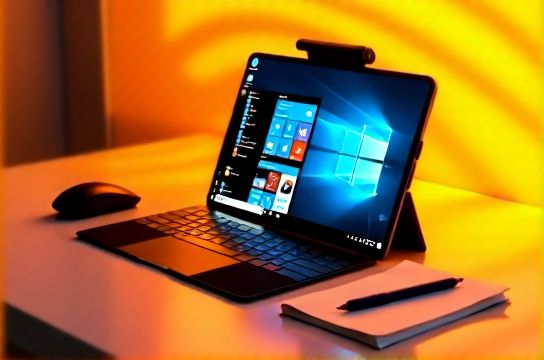
The game-changer? Desktop mode. It’s not just about splitting screens anymore. We’re talking taskbars, resizable windows, and proper file management — features once exclusive to Windows or macOS. And yes, some of these actually run Windows. Others use Android or iPadOS with smart UI tricks to mimic a PC-like experience.
Let’s cut through the marketing fluff. Here’s what actually works in 2024:
Top Tablets That Support Desktop-Style Multitasking
| Device | OS | Desktop Mode? | Laptop Replacement Score (10) |
|---|---|---|---|
| Microsoft Surface Pro 9 | Windows 11 | Yes (native) | 9.5 |
| Samsung Galaxy Tab S9 Ultra | Android 13 (DeX) | Yes (DeX mode) | 8.7 |
| Apple iPad Pro (M2) | iPadOS 16+ | Limited (Stage Manager) | 7.8 |
| Lenovo Yoga Duet 7i | Windows 11 | Yes (native) | 8.5 |
Quick take: If you want true laptop-like tablet performance, Windows-based devices win. They run full software, support external monitors, and handle multitasking without compromise. But Samsung’s DeX is shockingly good — especially if you’re already in the Android ecosystem.
Take the Galaxy Tab S9 Ultra. In DeX mode, it supports up to three app windows, drag-and-drop between apps, and even mouse gestures. Pair it with a keyboard cover ($199), and you’ve got a lightweight workstation. Battery life? Around 14 hours — better than most ultrabooks.
Meanwhile, the Surface Pro 9 is the gold standard. With up to 16GB RAM and an Intel Core i7, it handles Photoshop, Excel macros, and Zoom calls like a champ. The touchscreen + pen support makes it ideal for designers. Just don’t expect MacBook-level battery — average is 7–8 hours under load.
Now, about the iPad. Let’s be real: iPadOS isn’t a desktop OS. Stage Manager tries, but it’s clunky. Apps don’t always behave, and file management still feels restricted. Great for media and light work, but not for heavy lifting.
Bottom line: Want a tablet that truly replaces your laptop? Go for either a Windows 2-in-1 or a high-end Android tablet with DeX. Avoid ‘desktop mode’ claims on mid-tier devices — they often lack the hardware to back it up.
Pro tip: Check for USB-C video output. It’s essential if you plan to connect to a monitor. All four tablets above support it, making them legit portable offices.