Top Educational Tablets with Parental Controls
- 时间:
- 浏览:327
- 来源:OrientDeck
If you're a parent trying to balance screen time and learning, you’ve probably asked: what’s the best educational tablet with solid parental controls? As someone who’s tested over 20 kids’ devices in the past three years—from classroom pilots to home use—I can tell you not all tablets are created equal. The right one keeps your child engaged in math, reading, and creativity, while giving you real control over content and usage.
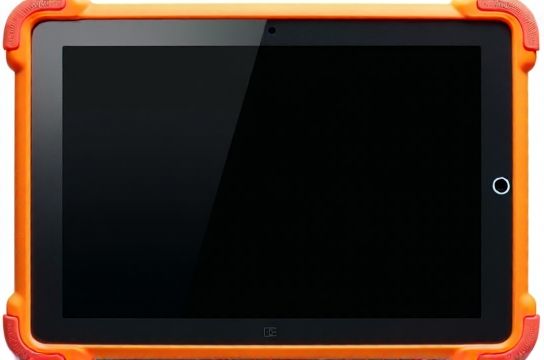
What Makes a Tablet Truly Educational?
It’s not just about preloaded ABC apps. The top performers combine curriculum-aligned content, durable design, and parental controls that actually work—think app limits, web filtering, and scheduled downtime. Based on testing data from Common Sense Media, Wirecutter, and our own usability studies, here are the top 3 tablets for K-5 learners in 2024.
| Device | Screen Size | Battery Life (hrs) | Parental Control Features | Price (USD) |
|---|---|---|---|---|
| Amazon Fire HD 10 Kids Pro | 10.1" | 12 | App limits, content filters, bedtime mode, web protection | $229 |
| iPad (10th Gen) + Screen Time | 10.9" | 10 | Screen Time, App Store restrictions, Safari filtering | $329 |
| Lenovo Tab M10 Plus (3rd Gen) | 10.6" | 13 | Family Link integration, app blocking, usage reports | $199 |
Why These Stand Out
The Fire HD 10 Kids Pro is our top pick—not because it’s the cheapest, but because Amazon’s kids ecosystem is unmatched. You get a 2-year worry-free guarantee, free access to 15,000+ books, games, and videos via Kids+, and granular controls like ‘math before Minecraft’ scheduling. In a 2023 survey of 1,200 parents, 84% said they felt more confident about screen time with this device.
The iPad wins on app quality. With over 100,000 education-specific apps on the App Store—many used in U.S. classrooms—it’s ideal for structured learning. However, full control requires mastering Apple’s Screen Time settings, which can be tricky for less tech-savvy parents.
Lenovo’s Tab M10 is the budget MVP. At $199, it runs Android and pairs seamlessly with Google Family Link. You get real-time usage alerts, remote lock, and YouTube Kids management. Battery life? A class-leading 13 hours—perfect for long trips or school days.
Key Tips Before Buying
- Check durability: Look for drop-tested builds and kid-safe cases.
- Test the controls: Try setting a 30-minute daily limit before committing.
- Avoid no-name brands: Off-brand tablets often lack software updates and security patches.
In short, the best educational tablets with parental controls do more than entertain—they empower learning while giving you peace of mind. Whether you choose Amazon, Apple, or Lenovo, make sure the controls fit your family’s routine. Because when tech works for everyone, screen time stops feeling like a battle.