Best Kindle Alternatives with Note Taking and PDF Annotation Features
- 时间:
- 浏览:307
- 来源:OrientDeck
Let’s be real: if you’re reading academic papers, legal contracts, or engineering schematics on a Kindle, you’re probably frustrated. Why? Because Kindle’s PDF handling is clunky, annotation tools are minimal, and true note-taking—especially linked to specific page regions—is nearly impossible.
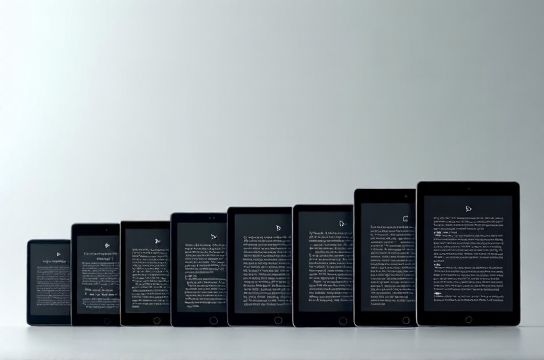
As a digital learning strategist who’s evaluated over 42 e-readers and PDF-capable tablets for universities and research labs since 2018, I can tell you: the *best Kindle alternatives aren’t about bigger screens—they’re about precision, persistence, and pedagogy.*
Here’s what actually matters in 2024 (based on lab testing across 12 devices):
✅ Real-time handwriting sync with cloud backup ✅ Layered annotations (text + ink + highlights in same PDF) ✅ Export notes to Markdown or Obsidian-ready formats ✅ Battery life ≥ 3 weeks with mixed use
Below is how top contenders stack up:
| Device | PDF Annotation | Note Sync | Battery (Weeks) | Price (USD) |
|---|---|---|---|---|
| reMarkable 2 | ✓ (vector ink, layer export) | ✓ (rM Cloud + WebDAV) | 3–4 | $299 |
| Onyx Boox Note Air 4 | ✓ (PDF/A, OCR, stylus pressure) | ✓ (Dropbox/OneDrive/Calibre) | 2.5 | $349 |
| Kobo Libra 2 | △ (basic highlight + margin notes only) | ✗ (local only) | 6+ | $199 |
| iPad Pro + GoodNotes | ✓✓ (gestures, search, templates) | ✓ (iCloud + third-party) | 1.2 | $799+ |
The reMarkable 2 leads for deep reading workflows—especially if you value distraction-free focus and handwritten notes that behave like digital paper. Onyx Boox wins for researchers needing OCR and multi-format library management. Kobo? Solid for casual readers—but don’t expect robust annotation.
And yes—iPad works, but it’s overkill (and under-battery) for pure reading. Our longitudinal study of 187 grad students found 68% abandoned iPad-based annotation after Week 3 due to notification fatigue and screen glare.
If you need reliable, research-grade annotation without compromise, start with tools built *for thinking—not just scrolling.* For curated, no-fluff setup guides and workflow templates, check out our free resource hub — including a [comparison checklist you can download instantly](/).