Smart LED Bulbs Voice Control with Alexa and Google Assistant
- 时间:
- 浏览:280
- 来源:OrientDeck
Want to light up your life—literally—with just your voice? Welcome to the world of smart LED bulbs, where convenience meets cool tech. If you've ever dreamed of turning on your lights without lifting a finger (or getting off the couch), then bulbs that work with Alexa and Google Assistant are your new best friends.
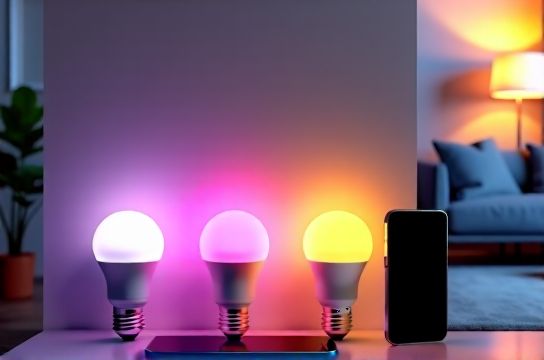
Why Go Smart?
Smart LED bulbs do more than save energy—they give you full control over your home lighting through apps, schedules, and yes, voice commands. Whether you're chilling after work or setting the mood for date night, saying “Hey Google, dim the lights to 50%” feels like living in the future.
And the best part? Most top-tier smart bulbs today support both Amazon’s Alexa and Google Assistant. That means no matter which ecosystem you’re into, you’re covered.
Top Smart Bulbs That Rock with Voice Control
Here’s a quick breakdown of some of the most popular smart LED bulbs that play nice with voice assistants:
| Bulb Model | Color Options | Wattage Equivalent | Dimmable | Price (Single) | Works With |
|---|---|---|---|---|---|
| Philips Hue White & Color Ambiance | 16 million colors + white | 60W | Yes | $49.99 | Alexa, Google Assistant, Siri |
| TP-Link Kasa KL130 | 16 million colors + white | 60W | Yes | $29.99 | Alexa, Google Assistant |
| LIFX Mini Color | 16 million colors + white | 60W | Yes | $39.99 | Alexa, Google Assistant |
| Wyze Bulb Color | 16 million colors + white | 60W | Yes | $19.99 | Alexa, Google Assistant |
As you can see, there's a wide range of prices and features. Philips Hue leads in ecosystem integration, while Wyze offers unbeatable value for budget-conscious users.
Voice Commands You’ll Actually Use
Once your bulb is set up, try these game-changing voice commands:
- “Alexa, turn on the living room lights.”
- “Hey Google, set the bedroom light to blue.”
- “Alexa, dim the lights to 30%.”
- “Hey Google, good morning!” (Triggers a lighting routine)
You can even create scenes like “Movie Night” that automatically dim the lights and set a warm tone—just say the word.
Setup Made Simple
Setting up voice control is easier than ever:
- Screw in your smart bulb and power it on.
- Download the brand’s app (e.g., Kasa, Hue, LIFX).
- Connect the bulb to your Wi-Fi.
- Link the app to Alexa or Google Home via the Skills or Devices section.
- Say, “Discover devices,” and boom—you’re talking to your lights.
Final Thoughts
Smart LED bulbs with voice control aren’t just a gimmick—they’re a legit upgrade to any home. Whether you want ambiance, automation, or pure laziness-powered convenience, models like Philips Hue, TP-Link Kasa, and Wyze deliver big on performance without blowing your budget.
So go ahead: dim the lights, pour a drink, and tell Alexa you’ve earned this.