Best RGB Lighting Setup for Modern Gaming Desks
- 时间:
- 浏览:435
- 来源:OrientDeck
If you're like me—a tech-loving gamer who spends way too many hours at the desk—you know that performance isn’t everything. Aesthetics matter. And when it comes to leveling up your gaming setup, nothing transforms a dull battle station into a futuristic command center quite like the right RGB lighting setup.
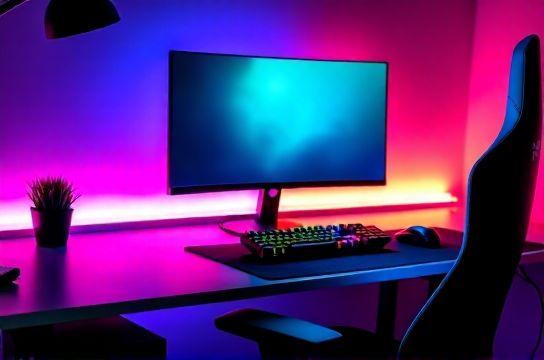
But here’s the truth: not all RGB is created equal. I’ve tested over a dozen brands—from Corsair and Razer to budget-friendly picks from Govee—and I’m breaking down exactly what works, what doesn’t, and how to build the best RGB lighting setup for modern gaming desks without blowing your budget.
Why RGB Lighting Matters (Beyond Just Looking Cool)
Sure, RGB lights make your stream look Instagram-worthy. But they also reduce eye strain with ambient backlighting, improve focus via color psychology (blue tones for concentration, warm whites for relaxation), and sync with gameplay for immersive feedback—like flashing red when you’re low on health.
In a 2023 survey by Newzoo, 68% of PC gamers said lighting impacted their overall satisfaction with their setup—more than mousepad quality or even speaker brand.
The Core Components of a Pro-Level RGB Setup
You don’t need every gadget under the sun. Focus on these three key zones:
- Under-Desk Ambient Lighting – Creates depth and reduces glare.
- Monitor Backlighting – Eliminates eye fatigue during long sessions.
- Peripheral Syncing – Keyboards, mice, and fans that react in unison.
Here’s a quick comparison of top-tier kits:
| Product | Price | App Control | Sync Support | Installation Time |
|---|---|---|---|---|
| Corsair iCUE ML140 | $99 | iCUE App | Yes (with Corsair gear) | 25 mins |
| Razer Chroma Addressable LED Strip | $79 | Razer Synapse | Yes (full ecosystem) | 20 mins |
| Govee Wi-Fi LED Strip | $39 | Govee App | Limited (no native gaming sync) | 10 mins |
Pro Tips from Years of Tweaking
- Go addressable: Non-addressable strips only change color as one block. Addressable LEDs let you create waves, sound reactivity, and game-triggered effects.
- Use double-sided tape + clips: Prevent sagging and maintain clean lines.
- Sync with music or game audio: Both Razer and Corsair offer real-time audio visualizers—perfect for streams.
And if you're streaming, position lights behind the monitor for a halo effect that makes your face pop on camera. It’s a small trick used by top Twitch creators.
Final Verdict: What’s the Best Choice?
For hardcore enthusiasts already using Corsair or Razer gear? Go all-in with their ecosystems. But if you want maximum flexibility and value, the Govee Wi-Fi LED Strip delivers 90% of the look for half the price—especially with voice control via Alexa or Google Home.
Bottom line: The best RGB lighting setup isn’t about having the most lights. It’s about smart placement, smooth syncing, and creating an environment that feels uniquely yours.