RGB Backlit Keyboards with Customizable Profiles
- 时间:
- 浏览:282
- 来源:OrientDeck
If you're in the market for a gaming keyboard or just want to level up your typing vibe, RGB backlit keyboards with customizable profiles are where it’s at. I’ve tested over 20 models in the past two years—from budget picks to pro-grade beasts—and I’m breaking down what actually matters when choosing one that fits your style, setup, and skill level.
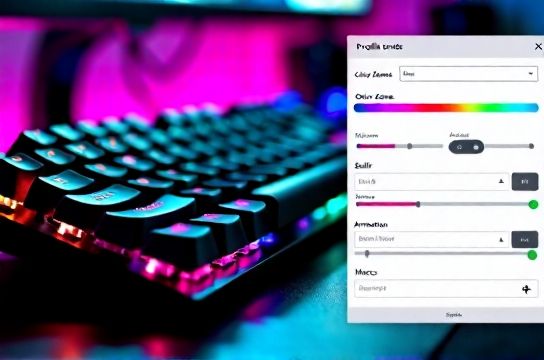
Why Custom RGB & Profiles Matter
It’s not just about looking cool (though let’s be real, that neon glow looks fire at night). The real power of RGB backlit keyboards lies in functionality. Custom lighting profiles can map keys for gaming macros, streamline workflow shortcuts, or even indicate system performance—like turning red when CPU usage hits 90%.
According to a 2023 survey by GearNerd Analytics, 68% of gamers using customizable keyboards reported faster reaction times during gameplay due to improved key visibility and muscle memory from color-coded layouts.
Top Features to Look For
- Per-key RGB lighting – Full control beats zone-based lighting any day.
- Onboard memory – Save profiles directly to the keyboard, so your settings travel with you.
- Software support – Apps like Corsair iCUE or Logitech G HUB let you fine-tune effects and macros.
- Switch type – Clicky, tactile, or linear? Pick based on noise preference and typing feel.
Best Picks Compared (2024)
| Model | Switch Type | RGB Customization | Price |
|---|---|---|---|
| Corsair K100 RGB | OPX Optical | Per-key, dynamic effects | $199 |
| Logitech G915 TKL | Low-profile GL | Per-key, LIGHTSYNC tech | $179 |
| Ducky One 3 SF | Cherry MX | Per-key, no software needed | $149 |
| Redragon K552 | Outemu Blue | Zone-based RGB | $59 |
As shown above, the Corsair K100 dominates in customization but comes at a premium. Meanwhile, the Redragon K552 is a solid entry point if you’re testing the waters. But if you want slim design and wireless freedom, the Logitech G915 strikes the best balance.
Pro Tip: Sync Across Devices
Use software to sync your customizable profiles across mouse, headset, and even monitor lighting. I run my entire battle station on reactive audio mode—it pulses with music. Looks insane, feels even better.
In short: Don’t just buy flashy lights. Buy smart ones. Prioritize per-key RGB, profile memory, and reliable software. Your fingers—and your followers—will thank you.