How to Choose the Best Gaming Monitor for PC Enthusiasts
- 时间:
- 浏览:393
- 来源:OrientDeck
So, you're ready to upgrade your gaming setup? Awesome. But with so many gaming monitors out there, how do you pick the right one without wasting hundreds (or thousands) of dollars? As someone who’s tested over 50 displays in the last five years—from budget 1080p panels to ultra-wide 4K beasts—I’ve got your back.
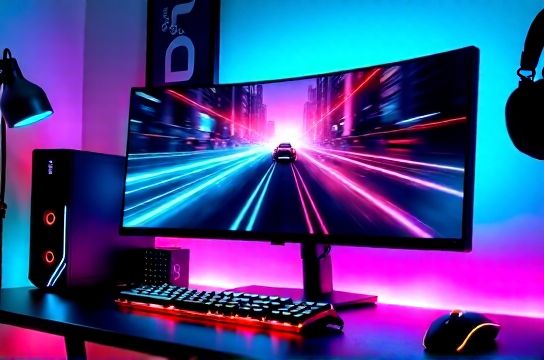
Let’s cut through the marketing fluff and break down exactly what matters when choosing the best gaming monitor.
Key Factors That Actually Matter
- Refresh Rate: 144Hz is the sweet spot; 240Hz+ for competitive gamers.
- Response Time: Look for 1ms GTG or lower to reduce ghosting.
- Resolution: 1080p for speed, 1440p for balance, 4K for visuals.
- Panel Type: IPS (color), TN (speed), VA (contrast).
- Adaptive Sync: G-Sync Compatible or FreeSync—don’t skip this!
Which Resolution Fits Your GPU?
If your graphics card can't keep up, even the fanciest monitor will stutter. Here's a quick guide:
| Resolution | Avg FPS (Good Settings) | Recommended GPU |
|---|---|---|
| 1920x1080 (FHD) | 100–165 FPS | RTX 3060 / RX 6600 XT |
| 2560x1440 (QHD) | 80–120 FPS | RTX 3070 / RX 6800 |
| 3840x2160 (4K) | 60–90 FPS | RTX 4080 / RX 7900 XTX |
Pro tip: If you’re rocking an RTX 3070 or better, go 1440p. It’s the ultimate balance between clarity and performance.
IPS vs. VA vs. TN – What’s Best?
Each panel type has trade-offs:
- IPS: Best colors and viewing angles. Slight blur in fast motion.
- VA: Deep blacks and high contrast. Slower response than IPS/TN.
- TN: Fastest response, cheaper—but washed-out colors.
For most gamers, I recommend IPS. The color accuracy and wide viewing angles make games look stunning, and modern IPS panels now hit 1ms response times.
Top Picks Based on Use Case
- Budget King: MSI G27C6 – $180, 1080p, 165Hz, VA panel
- Mid-Range MVP: LG 27GP850-B – $350, 1440p, 165Hz, IPS, G-Sync compatible
- Premium Pick: ASUS ROG Swift PG32UQX – $2,000, 4K, 144Hz, Mini-LED
If you play fast-paced shooters like CS2 or Valorant, prioritize refresh rate and response time. For RPGs and single-player epics like Elden Ring? Go all-in on resolution and HDR quality.
And don’t forget ergonomics—look for VESA mount compatibility and adjustable stands. Your neck will thank you after 8-hour raids.
In short, the best gaming monitor isn’t about specs alone—it’s about matching performance to your rig, genre, and budget. Skip the hype. Play smarter.