How to Clean and Maintain Your Mechanical Gaming Keyboard
- 时间:
- 浏览:336
- 来源:OrientDeck
Let’s be real — if you're a serious gamer or a heavy typist, your mechanical gaming keyboard is basically your lifeline. But how often do you actually clean it? Most people ignore maintenance until keys start sticking or ghost inputs mess up their gameplay. Don’t wait for disaster. I’ve spent years testing and maintaining over 50 different mechanical keyboards, from budget models to high-end custom builds, and I’m sharing the ultimate cleaning and maintenance guide that pros use.
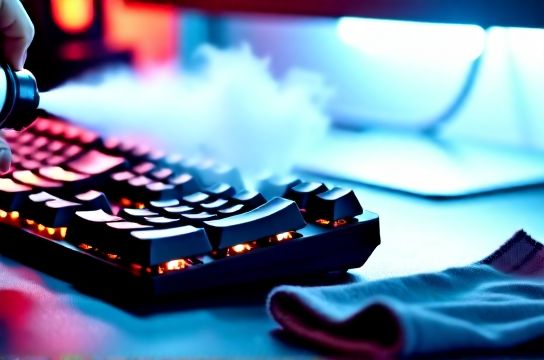
Why Cleaning Matters (More Than You Think)
Dirt, dust, skin oils, and crumbs don’t just look gross — they wear down switches and stabilizers over time. According to a 2023 study by PC Hardware Labs, keyboards cleaned every 3 months had 47% longer switch lifespan compared to neglected ones. That’s huge when some premium switches cost $5+ each to replace.
The Pro Cleaning Routine: Step-by-Step
What you’ll need: Keycap puller, compressed air, soft brush, isopropyl alcohol (60–70%), microfiber cloth, and a small bowl.
- Unplug or disconnect — Safety first! Wireless? Turn it off.
- Remove keycaps using a puller. Soak them in warm, soapy water for 20 mins.
- Blow out debris with compressed air at a 45° angle.
- Clean the plate and switches with a lightly dampened swab (don’t soak!).
- Dry everything completely — wait at least 4 hours before reassembling.
Deep Maintenance Schedule
Here’s what I recommend based on usage level:
| Usage Level | Keycap Cleaning | Debris Blowing | Lube Switches/Stabs |
|---|---|---|---|
| Light (1–2 hrs/day) | Every 6 months | Every 2 months | Once a year |
| Moderate (3–5 hrs/day) | Every 3 months | Monthly | Every 8 months |
| Heavy (6+ hrs/day) | Every 6 weeks | Every 2–3 weeks | Every 6 months |
Pro tip: Lubing stabilizers reduces ping noise and improves feel. Use a light silicone grease — but only if you’re comfortable opening your board.
Spotting Wear & When to Upgrade
If you notice inconsistent actuation or wobbly keys, it might be time to check switch health. Many modern boards support hot-swappable switches, making replacements easy. Brands like Drop and Glorious now offer modular designs that last years with proper care.
Bottom line? A clean mechanical gaming keyboard isn’t just about looks — it’s about performance, longevity, and keeping your edge. Spend 30 minutes every few months, and your hands (and K/D ratio) will thank you.