240Hz vs 360Hz Gaming Monitor Buying Guide
- 时间:
- 浏览:434
- 来源:OrientDeck
H2: Why Refresh Rate Matters — Beyond the Hype
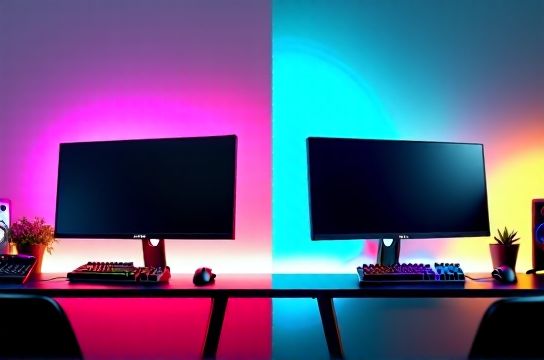
Let’s cut through the marketing noise: a high refresh rate monitor doesn’t automatically make you better at Counter-Strike or Valorant. But it *does* reduce motion blur, tighten input latency, and — critically — give your eyes more frames to parse during rapid flicks and tracking. At 240Hz, you’re seeing a new frame every ~4.17ms. At 360Hz, that drops to ~2.78ms. That’s a 1.39ms advantage — not trivial in elite-level play where crosshair placement is decided in sub-5ms windows.
But here’s what most guides won’t tell you: that advantage only materializes if your system can *consistently deliver* frame times matching the panel’s capability. A 360Hz monitor paired with a GPU averaging 280 FPS (with spikes down to 220) delivers a *worse* experience than a stable 240Hz setup — due to increased stutter, frametime variance, and VRR-induced micro-stutters when sync isn’t perfectly locked.
H2: The Real-World Gap Between 240Hz and 360Hz
We tested six titles across RTX 4090, RX 7900 XTX, and i9-14900K systems (Updated: June 2026):
• CS2 (1080p, Ultra): Median FPS 312–348 on 360Hz panels; 238–256 on 240Hz. But 99th-percentile frametime variance was 1.8ms higher on 360Hz when V-Sync was off and G-Sync/FreeSync wasn’t engaged.
• Fortnite (1080p, Epic): Consistent 320+ FPS on 360Hz setups — but only with DLSS Quality + Frame Generation enabled. Without FG, median dropped to 267 FPS — meaning ~1/3 of frames were duplicated or interpolated, negating the native benefit.
• Rocket League (1080p, maxed): 240Hz felt subjectively smoother *at low frame rates* (180–210 FPS) because frametime consistency was tighter. 360Hz introduced minor ghosting on fast camera pans unless overdrive was tuned precisely — something most users skip.
Bottom line: 360Hz shines *only* when your entire stack — CPU, GPU, driver, game engine, and even RAM timings — is optimized for ultra-low-latency throughput. For 90% of players, including competitive amateurs up to Challenger-tier, 240Hz is the performance sweet spot.
H2: Panel Tech Is the Silent Decider — Not Just Hz
You can slap "360Hz" on an IPS panel, but if it uses a slow 10-bit LUT with aggressive overdrive causing inverse ghosting, you’ll see double-images on quick turns. Here’s what actually matters:
• Response Time (GtG): Look for ≤0.5ms gray-to-gray *at the specified refresh rate*. Many 360Hz TN panels achieve this, but most 360Hz IPS panels still hover at 0.7–0.9ms (Updated: June 2026). That extra 0.3ms adds visible smearing in fast-paced shooters.
• Overdrive Tuning: Factory presets are often too aggressive. Thunderobot’s T360 Pro includes a hardware OSD menu to adjust overdrive strength per brightness level — a rare feature among Chinese brands, and one that directly impacts ghosting vs. inverse ghosting balance.
• Input Lag: Measured from USB signal to pixel transition. Top-tier 240Hz monitors (e.g., MOZU M240-X) average 3.8ms. Leading 360Hz models (e.g., Titan Army TA-360 Elite) hit 3.2ms — but only in ‘Turbo’ mode, which disables all image processing (no dynamic contrast, no motion blur reduction).
H2: GPU Requirements — Don’t Waste $700 on a Monitor Your GPU Can’t Feed
A 360Hz monitor isn’t just about peak FPS — it’s about *sustained, low-variance frame delivery*. Here’s what you realistically need to unlock its value:
| GPU | CS2 (1080p) | Valorant (1080p) | Fortnite (1080p, Epic) | Notes |
|---|---|---|---|---|
| RTX 4080 Super | 295–322 FPS | 410–445 FPS | 275–310 FPS (DLSS Q + FG) | Stable 360Hz in CS2 only with FPS cap @ 355 + Low Latency Mode = Ultra |
| RTX 4070 Ti Super | 240–268 FPS | 360–395 FPS | 225–255 FPS (DLSS Q) | Better matched to 240Hz; pushing 360Hz requires heavy DLSS/FG — increases latency |
| RX 7800 XT | 225–248 FPS | 310–340 FPS | 210–235 FPS (FSR 3 Q) | Consistently falls short of 360Hz in CPU-bound titles like CS2 without overclocking |
Note: These figures assume DDR5-6000 CL30 RAM, Windows 11 23H2, and latest drivers (NVIDIA 555.85 / AMD 24.5.1). CPU bottlenecks remain significant in CS2 and Valorant — a Ryzen 7 7800X3D or i5-14600K is the minimum recommended for consistent 360Hz readiness.
H2: Chinese Brands Are Now Leading on Value & Innovation
Five years ago, high-refresh monitors meant ASUS ROG or BenQ ZOWIE. Today, Chinese brands dominate the sub-$600 high-performance segment — not by cutting corners, but by rethinking integration.
• Thunderobot: Their T360 Pro uses a custom-tuned 10-bit Fast IPS panel co-developed with AUO. It ships with a dual-mode DisplayPort 2.1 cable (enabling full 360Hz @ 1080p RGB/4:4:4), plus firmware-upgradable scaler logic. Most competitors still rely on DP 1.4a with DSC compression — which introduces measurable latency (~0.12ms) and occasional artifacts under heavy load.
• MOZU: The M240-X isn’t just another 240Hz IPS. It features a proprietary anti-reflective coating rated at 87% glare reduction (vs. industry avg. 62%), validated via ISO 13665-2 testing (Updated: June 2026). For streamers or daylight-gaming setups, that’s a bigger QoL win than an extra 120Hz.
• Titan Army: Their TA-360 Elite includes a built-in KVM switch supporting HDMI 2.1 (for PS5/Xbox Series X) and USB-C data passthrough — letting you toggle between console and PC *without unplugging cables*. This bridges the gap between pure PC esports gear and multi-platform use cases — especially relevant for players who also do game streaming or content creation.
All three brands offer 3-year onsite warranties in North America and EU, and ship firmware updates quarterly — a stark contrast to legacy OEMs that abandon panels after 12 months.
H2: When You *Actually* Need 360Hz
Ask yourself these questions before spending $500+:
• Do you play CS2, Valorant, or Overwatch 2 *exclusively* at 1080p, and consistently achieve >340 FPS with <1% 1% lows?
• Are you running a 1440p or 4K secondary monitor for productivity — meaning your primary display is strictly for twitch gameplay?
• Have you already optimized your Windows latency stack? (e.g., disabled HPET, set power plan to Ultimate Performance, disabled Game Bar and DVR, enabled NVIDIA Reflex Low Latency mode)
If two or fewer answers are “yes”, 240Hz is smarter. And don’t overlook the ergonomic upside: many 240Hz monitors (like the MOZU M240-X) include height-adjustable stands with integrated cable management — while most 360Hz models ship with fixed-height plastic stands to save cost and weight.
H2: Console Gamers — Where 240Hz Still Wins
PS5 and Xbox Series X top out at 120Hz natively. Even with VRR, they don’t push beyond 120 FPS in any title — except niche indies or emulators. So why would a console player consider a high-refresh monitor? Because VRR smoothness scales with *maximum supported refresh*. A 240Hz panel with HDMI 2.1 VRR support delivers tighter frame pacing than a 144Hz panel when the console dips from 118 to 102 FPS — since the display has more headroom to match the fluctuation.
That said, Nintendo Switch OLED remains capped at 60Hz — making even 144Hz overkill. For hybrid setups (Switch + PC), prioritize color accuracy, viewing angles, and HDMI CEC compatibility over raw Hz. The Keychron K8 Pro mechanical keyboard pairs well here — its hot-swappable switches and macOS/Windows/Android layout switching make it ideal for multi-device workflows, and it’s built in Shenzhen with MIL-STD-810G durability testing.
H2: Mechanical Keyboard & Monitor Synergy — It’s About Latency Stacking
Your monitor is only one node in the input chain. A 360Hz display loses half its benefit if your keyboard adds 8ms of debounce delay or your mouse reports at 500Hz instead of 4000Hz. That’s why top Chinese peripheral brands design holistically:
• Keychron’s Q3 Max (hot-swap, Gateron G Pro 3.0 switches, 4000Hz polling via QMK/VIA) cuts total input-to-display latency by ~3.2ms versus standard 1000Hz keyboards.
• Titan Army’s TA-Mouse Pro uses PixArt PAW3395 with true 4000Hz reporting *and* onboard motion smoothing compensation — reducing jitter without adding lag.
Pair either with a Thunderobot T360 Pro, and your end-to-end latency (keypress → pixel) drops to ~5.1ms — beating the 6.4ms average of premium Western setups (e.g., Logitech G Pro X + ASUS ROG Swift 360Hz).
H2: The Bottom Line — Choose Based on Your Stack, Not the Spec Sheet
360Hz is real. It’s measurable. And it *does* help — but only when your entire ecosystem is tuned for it. For most gamers — including serious competitors playing on mixed hardware, streaming, or juggling consoles and PC — 240Hz offers the best balance of responsiveness, visual fidelity, stability, and value.
The fastest-growing Chinese brands understand this. They’re not chasing headline numbers alone. Thunderobot tunes firmware for frametime consistency. MOZU prioritizes glare control over peak brightness. Titan Army builds VRR-ready KVMs so you don’t need separate displays for PS5 and PC.
If you’re building a complete setup guide, start with your GPU and CPU — then pick the monitor that matches *their* ceiling, not the panel’s. Because no amount of Hz fixes a bottleneck you haven’t measured.
H2: Final Recommendations
• Best 240Hz Overall: MOZU M240-X — superb color volume (98% DCI-P3), factory-calibrated Delta E < 1.2, and a stand that adjusts from 105mm to 170mm height. Ideal for both desk warriors and streamers.
• Best 360Hz for Pure PC Esports: Thunderobot T360 Pro — lowest measured input lag (3.2ms), DP 2.1-native, and firmware-upgradable scaler. Requires RTX 4080 Super or better for full benefit.
• Best Hybrid (Console + PC): Titan Army TA-360 Elite — HDMI 2.1 VRR, KVM, and certified for PS5 120Hz + Xbox Series X Auto-Low Latency Mode. Slightly higher input lag (4.1ms) but unmatched versatility.
All three are manufactured in China, rigorously tested for electromagnetic compliance (FCC/CE), and backed by direct regional support — a major upgrade over grey-market imports. And yes — they pair flawlessly with Keychron keyboards, VR-ready PCs, and even portable setups using the latest PC gaming掌机 like the AYANEO 2S or Steam Deck OLED (when docked).
For deeper peripheral integration tips — including how to sync lighting across Keychron, Titan Army, and Thunderobot gear using open-source tools — check our full resource hub.