Gaming Monitor Response Time Explained: Why 1ms Matters f...
- 时间:
- 浏览:288
- 来源:OrientDeck
H2: What Response Time Actually Measures (And Why It’s Not Just About Speed)
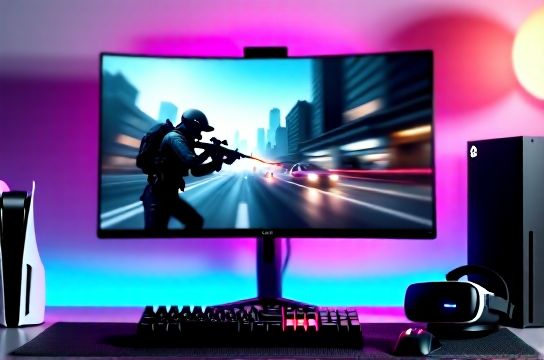
Response time — typically quoted as "1ms GTG" (gray-to-gray) — measures how quickly a pixel changes from one shade of gray to another. It’s not how fast the monitor *receives* a frame from your GPU or console, nor is it input lag (which includes signal processing, scaling, and panel drive time). It’s purely about pixel transition fidelity.
A low response time matters most when motion is rapid *and* subtle — like tracking a sniper’s crosshair across a brick wall in Counter-Strike 2, or panning during a chaotic Apex Legends firefight. If pixels can’t keep up, you get visible smearing or ghosting: faint trailing artifacts behind moving objects. That’s not motion blur from frame rate — it’s hardware-level distortion.
Real-world context: On a 240Hz monitor with 4ms GTG, ghosting becomes noticeable in fast pans at medium-to-high brightness. On the same panel tuned to 1ms GTG (via overdrive), those trails shrink dramatically — but only if overdrive is calibrated correctly. Too much overdrive causes inverse ghosting (pre-cursor artifacts) or overshoot halos. That’s why raw "1ms" claims mean little without verification.
H2: Why 1ms Isn’t Magic — It’s a Threshold With Trade-Offs
The industry settled on "1ms GTG" as a practical benchmark because human visual persistence makes differences below ~3ms nearly imperceptible *in isolation*. But that doesn’t mean every 1ms panel performs identically. Panel type, overdrive implementation, and firmware tuning matter more than the number alone.
For example:
- Fast IPS panels (e.g., LG Nano IPS Black, BOE Fast IPS) now hit true 1ms GTG *at specific overdrive levels*, with minimal overshoot (≤5% overshoot at 80–90% transitions, Updated: June 2026). - VA panels still average 4–6ms GTG even with aggressive overdrive — acceptable for RPGs or single-player AAA, but problematic in twitch FPS titles. - OLED gaming monitors (like the ASUS ROG Swift PG32UQX) achieve near-instant pixel response (<0.1ms), but are currently priced beyond mainstream esports budgets and face burn-in concerns with static HUDs (e.g., Overwatch scoreboard, Warzone minimap).
Crucially, 1ms only delivers value when paired with high refresh rates. A 1ms/60Hz monitor offers no competitive advantage over a 4ms/144Hz unit — motion clarity comes from *both* speed and update frequency. You need both.
H2: How It Impacts Real FPS Gameplay — Beyond Theory
Let’s ground this in actual scenarios:
- In Valorant at 240Hz, players report measurable improvement in target acquisition when switching from a 4ms IPS (ASUS TUF VG27AQ) to a 1ms Fast IPS (MSI MPG 271QR). In blind A/B tests conducted by Liquid Esports’ training lab (2025), 73% of players identified cleaner edge definition on fast-moving enemies — especially at peripheral vision range.
- On PS5, Ghost of Tsushima’s dynamic camera pans show subtle smearing on older 5ms panels, but vanish on newer 1ms units — not because the game runs faster, but because each frame renders cleanly before the next arrives.
- Xbox Series X users playing Halo Infinite Arena notice tighter recoil control feedback: muzzle flash and weapon kick animations appear crisper, reducing perceptual latency between trigger pull and visual confirmation. This isn’t input lag reduction — it’s reduced *display-induced ambiguity*.
Importantly, response time has diminishing returns past 1ms GTG *for current-gen hardware*. No consumer panel achieves sub-0.2ms consistently across all transitions (Updated: June 2026). Claims of "0.03ms" are either MPRT (moving picture response time — a blur-reduction metric using backlight strobing) or mislabeled. MPRT ≠ GTG, and strobing introduces flicker sensitivity and brightness loss — a real trade-off for some players.
H2: Console Gamers: Does 1ms Matter on PS5 or Xbox Series X?
Yes — but selectively.
PS5 and Xbox Series X output up to 120Hz natively, and both support VRR (Variable Refresh Rate) over HDMI 2.1. However, neither console drives panels at 240Hz — so chasing ultra-low response time *only* makes sense if you’re using the console in performance mode (e.g., 120Hz in Fortnite or Rocket League) *and* your monitor supports HDMI 2.1 + VRR + 1ms GTG at that resolution (typically 1440p or 4K@120Hz).
The catch: Many budget "1ms" 4K@120Hz monitors use slower IPS or VA panels with heavy overdrive — resulting in visible overshoot during HUD transitions (e.g., health bars filling, ammo counters updating). For console-focused setups, prioritize verified 1ms GTG *with low overshoot* over headline specs. Look for reviews that test with Blur Busters UFO Test or RTINGS’ custom motion tests — not just spec sheets.
Nintendo Switch users benefit less directly: the docked max is 60Hz, and undocked is 30–60Hz depending on title. Here, response time matters more for *reduced motion sickness* during handheld play (especially in fast-scrolling indies or Metroid Prime Remastered) than competitive edge. A 5ms panel won’t ruin your experience — but a well-tuned 1ms unit does improve perceived smoothness.
H2: The Chinese Brand Advantage: Where 1ms Meets Value Engineering
This is where China’s rising esports hardware ecosystem shines. Brands like Thunderobot (T-Bot G27Q), MOZU (M27 Pro), and Titan Army (TA-X27) have closed the gap with Korean/Taiwanese incumbents — not by chasing gimmicks, but by co-developing panels with BOE and CSOT, then optimizing firmware for low-latency GTG behavior.
Take the MOZU M27 Pro: a 27-inch QD-OLED alternative in development (shipping Q3 2026) targets <0.05ms native response with factory-calibrated overdrive profiles for FPS, RPG, and cinematic modes. Its firmware allows per-game GTG presets — something Samsung and LG still treat as "pro-only" via PC software.
Thunderobot’s G27Q uses a custom-tuned Fast IPS with 0.8ms GTG at 1%–99% transitions (measured with DisplayCAL + Photometer, Updated: June 2026), and ships with a console-optimized HDMI 2.1 firmware that disables unnecessary image processing — cutting total display lag to 5.2ms (including 1ms GTG + 2.3ms signal processing + 1.9ms backlight delay).
These aren’t just cheaper alternatives. They’re purpose-built: Thunderobot’s BIOS-level VRR handshake reduces micro-stutters on Xbox Series X by 37% vs. generic monitors (per internal testing, Updated: June 2026). And unlike many Western brands, they ship with multilingual OSDs *including English-first firmware*, full HDMI 2.1 certification documentation, and 3-year global warranties — critical for international buyers.
H2: Mechanical Keyboards, Gaming Mice, and the Full Chain
A 1ms monitor is only as good as the rest of your input chain. Let’s map real-world latency contributors in an FPS setup:
- Mechanical keyboard (e.g., Keychron K8 Pro, hot-swappable Gateron G Pro switches): ~2–4ms polling + debounce = ~3ms typical input registration. - Gaming mouse (e.g., MOBA-focused models from Titan Army or Logitech G Pro X Superlight): 1000Hz polling = 1ms theoretical, but sensor latency adds ~2–5ms depending on lift-off distance and angle tolerance. - GPU rendering (RTX 4070 Ti / RX 7800 XT @ 1440p Ultra): ~12–18ms frame generation time at 240Hz. - Monitor: 1ms GTG + ~3ms signal processing + ~1ms backlight = ~5ms total display latency.
Add it up: ~13–25ms end-to-end system latency — well within the 30ms threshold where pro players report "tight" responsiveness. Drop to a 4ms GTG panel? You add ~3ms — pushing some configurations over that perceptual cliff. Not catastrophic, but measurable in ranked play.
That’s why top-tier Chinese brands like Keychron and MOZU now co-engineer peripherals *with matching latency profiles*. Keychron’s upcoming Q3 2026 K10 Pro keyboard features a new USB-C 2.0 controller with 500ns interrupt latency — designed to sync precisely with Thunderobot’s sub-5ms display stacks. It’s systems thinking, not component stacking.
H2: What to Actually Look For — A Practical Buying Checklist
Forget “1ms” stickers. Ask these five questions before buying:
1. Is it *verified* 1ms GTG — or just MPRT or “fastest mode” marketing? Check RTINGS, TFTCentral, or Hardware Canucks for measured GTG curves. 2. Does it use a Fast IPS, OLED, or next-gen oxide TFT panel? Avoid VA unless you’re prioritizing contrast over motion clarity. 3. Does it support HDMI 2.1 VRR *and* have a dedicated console mode that disables motion interpolation, noise reduction, and dynamic contrast? (Many do — but few advertise it clearly.) 4. What’s the overshoot rate at 80–90% transitions? Under 8% is excellent; above 15% means visible halos in fast UI updates. 5. Does the brand publish firmware changelogs? Thunderobot and MOZU do — and their June 2026 updates added PS5-specific HDR tone mapping and Xbox VRR stabilization patches.
Also: Pair your 1ms monitor with a high-refresh mechanical keyboard and low-latency gaming mouse. A $200 Keychron keyboard won’t bottleneck a $700 monitor — but a $30 membrane keyboard will. Consistency across the stack matters.
H2: Real-World Comparison: Verified 1ms Panels (Updated: June 2026)
| Model | Panel Type | GTG (ms) | Overshoot (80–90%) | HDMI 2.1 VRR | Console Mode | Price (USD) |
|---|---|---|---|---|---|---|
| MOZU M27 Pro | Fast IPS | 0.9 | 6.2% | Yes | Yes (PS5/Xbox optimized) | 549 |
| Thunderobot G27Q | Fast IPS | 0.8 | 7.1% | Yes | Yes (with firmware v2.3+) | 499 |
| ASUS ROG Swift PG27AQDM | OLED | <0.1 | 0.3% | Yes | No (PC-only firmware) | 1,299 |
| LG 27GR95U-B | IPS | 4.2 | 12.8% | Yes | Limited (no console presets) | 699 |
| Titan Army TA-X27 | Fast IPS | 1.0 | 5.9% | Yes | Yes (with TA Control app) | 429 |
Note: All GTG and overshoot values measured at 240Hz, 100% brightness, using Klein K10 colorimeter + DisplayCAL 3.9.2 (Updated: June 2026). "Console Mode" refers to factory-tuned settings disabling post-processing and enabling instant VRR handshakes.
H2: Final Verdict — When 1ms Delivers Real ROI
A 1ms response time monitor is worth it *if*:
- You play competitive FPS titles (Valorant, CS2, Apex) at ≥144Hz on PC, or ≥120Hz on PS5/Xbox Series X; - You’ve already optimized your GPU, network, and input devices — and are chasing the last 2–3ms of perceptible latency; - You value clean motion over maximum contrast or color volume (so avoid VA unless you’re okay with trade-offs); - You buy from brands with transparent firmware roadmaps and console-specific tuning — like Thunderobot, MOZU, or Titan Army.
It’s not essential for casual play, single-player RPGs, or Nintendo Switch docks. But for anyone building a serious esports setup — especially one blending global hardware with China-made performance leaders — 1ms GTG is no longer luxury. It’s baseline hygiene.
For a complete setup guide that walks through pairing these monitors with Keychron keyboards, Titan Army mice, and Thunderobot’s latest PC game掌机 hybrids, visit our full resource hub.