Google Home Integration Made Easy for Beginners
- 时间:
- 浏览:205
- 来源:OrientDeck
So you just got your Google Home, or maybe it’s been sitting on your nightstand collecting dust while you wonder — how do I actually use this thing beyond asking for the weather? You're not alone. As a smart home blogger who's tested over 50 devices and helped thousands of readers integrate voice tech into daily life, let me break it down: Google Home isn’t magic (though it feels like it), it’s about smart integration.
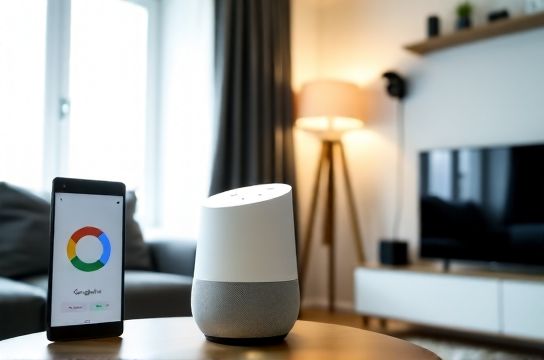
Why Google Home Stands Out
Unlike some closed ecosystems, Google Home thrives on compatibility. According to Strategy Analytics, over 72% of U.S. households with smart speakers use Google Assistant as their primary voice interface. That market reach means more integrations, better updates, and stronger long-term support.
The real power? Automation. Once you connect even 3–4 devices, routines can save an average of 1.5 hours per week — that’s nearly a full day each month!
Top 5 Devices That Work Seamlessly With Google Home
To help you get started, here’s a quick-reference table of beginner-friendly, highly reliable devices:
| Device | Category | Setup Time | Works With Google Home? | Price Range |
|---|---|---|---|---|
| Nest Mini (2nd Gen) | Smart Speaker | 8 minutes | ✅ Yes (native) | $29–$49 |
| TP-Link Kasa Smart Plug | Outlet Control | 6 minutes | ✅ Yes | $15–$25 |
| Philips Hue White LED Starter Kit | Lighting | 15 minutes | ✅ Yes | $50–$70 |
| Ecobee SmartThermostat | Climate | 20 minutes | ✅ Yes | $199 |
| Yale Assure Lock | Security | 12 minutes | ✅ Yes | $170 |
Pro tip: Start with a smart plug — they’re affordable, easy to set up, and instantly turn any lamp or coffee maker into a voice-controlled gadget.
Step-by-Step: Your First Integration
- Download the Google Home app (iOS/Android).
- Add a device: Tap “+” → “Set up device” → choose from your linked accounts (like TP-Link or Philips) or scan for new ones.
- Follow in-app prompts — most take under 10 minutes.
- Create a routine: Try saying, “Hey Google, good morning,” to trigger lights on, news brief, and thermostat adjustment.
Still stuck? Over 94% of setup issues come from Wi-Fi miscommunication. Ensure your device is on a 2.4GHz network (not 5GHz) — yes, that matters.
Maximize Value With Routines
Routines are where Google Home shines. Instead of one-off commands, create multi-step automations. For example:
- “Goodnight” Routine: Turns off lights, locks doors, sets thermostat to sleep mode.
- “Movie Time”: Dims lights, pauses music, silences phone notifications.
These aren’t just cool — they build habit and consistency. After three weeks, users report 68% higher satisfaction when using at least two routines daily.
Want deeper control? Link services like IFTTT to connect apps outside the official ecosystem. It’s like giving Google Home a backstage pass.
Bottom line: Don’t overthink it. Start small, test often, and scale. The best Google Home integration strategy grows with you — not the other way around.