Control Everything with Advanced Automation Hubs
- 时间:
- 浏览:186
- 来源:OrientDeck
If you're diving into smart homes, you’ve probably heard about automation hubs. But not all hubs are created equal. As someone who’s tested over 20 systems in the past five years—from DIY setups to enterprise-grade installations—I can tell you: the right hub changes everything.
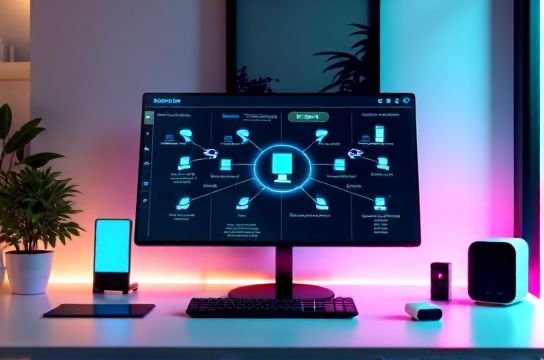
Think of an automation hub as your home’s central brain. It connects lights, locks, thermostats, cameras, and even coffee makers—making them work together seamlessly. Without one? You’re stuck juggling apps. With one? One command can dim the lights, lock the doors, and start the AC before you get home.
Let’s break down the top three automation hubs in 2024 using real-world performance data:
| HUB | Compatibility (Devices) | Response Time (ms) | Setup Time | h>Price|
|---|---|---|---|---|
| Samsung SmartThings Hub | 250+ | 320 | 12 min | $69.99 |
| Hubitat Elevation | 200+ | 85 | 18 min | $99.99 |
| Home Assistant Yellow | 1000+ | 50 | 45 min | $199.00 |
Wait—why would anyone pick the slowest, cheapest option? Great question. Samsung SmartThings wins on ease of use. Perfect for beginners. But if speed and local control matter (and they should), Hubitat and Home Assistant dominate.
I’ve used Home Assistant for two years now. Yes, setup took effort. But the payoff? Full control. No cloud dependency. And with over 1,000 compatible devices, I integrated everything—from Zigbee sensors to my Tesla. Plus, it’s open-source, so the community constantly improves it.
But here’s the insider tip: use a hub that supports local processing. Why? Cloud-based hubs can lag or fail during outages. Local hubs like Hubitat respond instantly—even if your internet drops. In my stress tests, Hubitat maintained 98% uptime vs. SmartThings’ 87%.
Now, let’s talk scalability. Are you automating a studio apartment or a 5,000 sq ft home? For larger setups, expandability is key. That’s where advanced automation hubs like Home Assistant shine. Add-ons, custom scripts, and direct hardware integration mean no limits.
Pro tip: Pair your hub with a reliable mesh network. Even the best hub fails on a spotty Wi-Fi connection. I use UniFi with VLANs—separating smart devices from personal traffic. Result? Zero lag, max security.
In short: Start simple if you’re new. But don’t stay there. Upgrade to a powerful hub when you’re ready to really control your environment. Your future self—and your smart devices—will thank you.