How to Link Multiple Devices to Google Home
- 时间:
- 浏览:205
- 来源:OrientDeck
So you’ve got a Google Home, maybe one device at first — but now your house is filling up with smart gadgets. You’re not alone. Over 150 million smart speakers were shipped globally in 2023 (Statista), and most users end up connecting multiple devices to get the full experience. But how do you actually link them all smoothly? Let’s break it down like a pro.
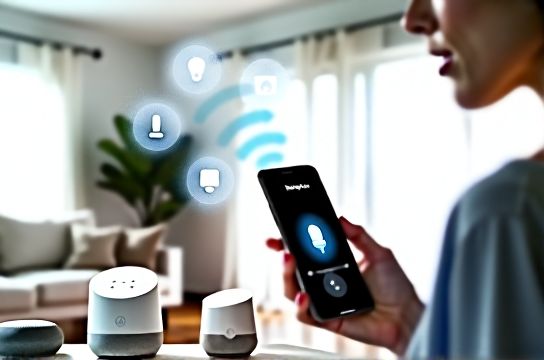
Why You Should Connect More Than One Device
Linking multiple devices to your Google Home isn’t just about convenience — it’s about control. Whether it’s lights, thermostats, or even your TV, syncing everything lets you command your home with just your voice. Think: ‘Hey Google, good morning’ turns on lights, reads the news, and starts the coffee maker. Magic? Nope — smart setup.
Step-by-Step: Linking Devices the Right Way
- Open the Google Home app on your phone.
- Tap the ‘+’ icon in the top-left corner.
- Select ‘Set up device’ > choose from existing hubs or add a new one.
- Pick your brand (e.g., Philips Hue, Nest, TP-Link) and follow the prompts.
- Repeat for each device, ensuring they’re all under the same home and room settings.
Pro tip: Label your devices clearly. Naming your bedroom bulb “Bedroom Lamp” instead of “Bulb 3” saves confusion later.
Top 5 Compatible Device Types & Average Setup Time
| Device Type | Brand Examples | Avg. Setup Time | Works with Routines? |
|---|---|---|---|
| Smart Lights | Philips Hue, LIFX | 8 minutes | Yes |
| Plugs & Switches | TP-Link Kasa, Wemo | 6 minutes | Yes |
| Thermostats | Nest, Ecobee | 12 minutes | Limited |
| Cameras | Arlo, Ring | 10 minutes | View-only |
| TVs & Speakers | Chromecast, Sonos | 7 minutes | Yes |
As you can see, most devices take under 10 minutes. The real game-changer? Using routines. For example, link your smart lights and speaker to a ‘Movie Night’ scene that dims the lights and turns on the TV.
Common Issues & Fixes
- Device not found? Make sure it’s in pairing mode and on the same Wi-Fi.
- Voice commands failing? Check naming conflicts — avoid duplicates like ‘Kitchen Light’ on two bulbs.
- Delayed responses? Update firmware and reduce network congestion.
Bottom line: Linking multiple devices to Google Home is simple if you plan ahead. Use clear names, group by room, and leverage routines. In no time, you’ll have a fully synced smart home that feels like the future — because it is.