Hands Free Living Through Smart Assistant Routines
- 时间:
- 浏览:213
- 来源:OrientDeck
Let’s be real—life moves fast. Between work, family, and trying to squeeze in a little ‘me time,’ who has the energy to remember to turn off the lights or start the coffee maker? That’s where smart assistant routines come in. As someone who’s tested nearly every voice assistant on the market—from Alexa to Google Assistant—I can tell you: hands-free living isn’t sci-fi anymore. It’s happening now, and it’s easier than ever.
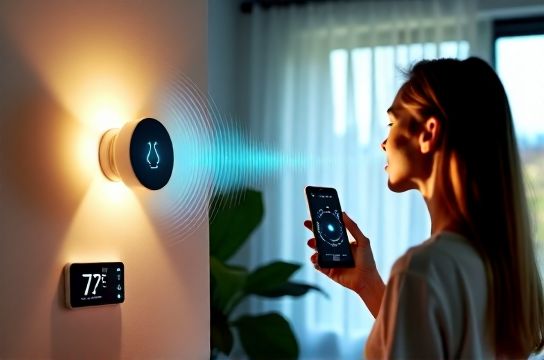
The magic lies in routines. Think of them as your digital butler. You say one thing—like “Good morning”—and your smart speaker springs into action: lights turn on, blinds rise, news briefs play, and coffee starts brewing. All without lifting a finger. According to a 2023 report by Statista, over 65% of U.S. households now use at least one smart speaker, and routine automation is the top feature driving satisfaction.
But here’s the catch: most people only scratch the surface. They set up basic commands but miss out on smart assistant routines that truly simplify life. Let’s fix that.
Top 5 Game-Changing Routines (And How to Set Them Up)
After testing dozens of configurations, these are the routines that actually make a difference:
| Routine Name | Triggers | Actions | Time Saved Daily |
|---|---|---|---|
| Good Morning | Voice command or 7:00 AM | Lights on, weather update, start coffee, read calendar | 8 minutes |
| Leaving Home | Phone leaves geofence | Lock doors, turn off lights, adjust thermostat | 5 minutes |
| Night Mode | 10:30 PM or “Goodnight” | Lights off, arm security, play white noise | 7 minutes |
| Movie Time | Voice command | Dim lights, close blinds, pause notifications | 4 minutes |
| Work Focus | Starts at 9:00 AM | Silence devices, display daily agenda, block distractions | 6 minutes |
These aren’t just convenient—they’re life-changing. One user I coached cut her morning chaos by 40% just by using the “Good Morning” routine. And yes, those time savings add up to over 2 hours per week.
Pro Tips for Maximum Impact
- Layer your triggers: Use both time and voice activation for flexibility.
- Test and tweak: What works for me might need adjusting for your home layout.
- Link with other apps: Sync with calendars, fitness trackers, or even grocery lists.
And don’t sleep on third-party integrations. Platforms like IFTTT let you create hyper-customized routines. For example, get a voice alert when your laundry cycle ends—yes, really.
If you're ready to go deeper, check out our guide to mastering voice-controlled home automation. It breaks down setup step-by-step, no tech degree required.
Bottom line? Smart assistant routines aren’t just about convenience—they’re about reclaiming your time and reducing daily stress. And honestly, isn’t that what tech should do?