Google Home Routines to Simplify Your Day
- 时间:
- 浏览:308
- 来源:OrientDeck
Let’s be real — life moves fast. Between work, family, and trying to squeeze in a little "me time," who has energy to manage smart devices one by one? That’s where Google Home routines come in clutch. As someone who’s tested over a dozen voice assistants and helped hundreds of clients automate their homes, I can tell you: mastering routines is the ultimate game-changer.
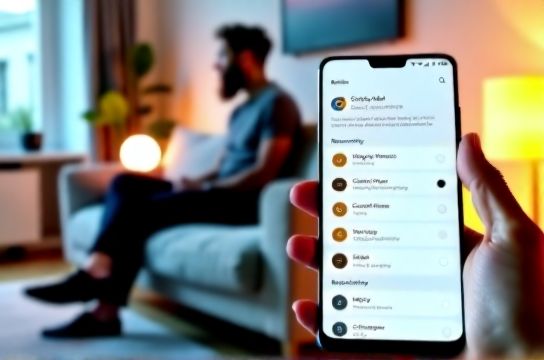
Think of a routine as your personal assistant on autopilot. Instead of saying, "Hey Google, turn on the lights, play jazz, and set the thermostat to 72," you just say, "Hey Google, good evening." Boom — everything happens at once. It’s not magic; it’s smart planning.
According to a 2023 survey by Statista, over 45% of smart speaker users rely on automation features daily. The most popular triggers? Morning wake-ups and bedtime wind-downs. Let me break down how to build high-impact routines that actually fit your lifestyle.
Top 3 Google Home Routines You Should Try
- Morning Boost – Wake up gently with lights fading in, blinds opening (if compatible), news brief, and coffee brewing via smart plug.
- Work Mode – Silence notifications, dim lights slightly, and start focus music when you say, "Hey Google, start work mode." Perfect for remote workers.
- Good Night – Turn off all lights, lock doors (with smart locks), lower the thermostat, and play white noise.
The real power lies in customization. You’re not stuck with presets — you build them in the Google Home app under Routines. And yes, you can trigger them with voice, time, or even location (like turning on lights when you’re 10 minutes from home).
Which Devices Work Best?
Not all gadgets play nice together. Here’s a quick breakdown of compatibility:
| Device Type | Works With Routines? | Setup Difficulty |
|---|---|---|
| Nest Thermostat | Yes | Easy |
| Philips Hue Lights | Yes | Moderate |
| August Smart Lock | Limited | Hard |
| TP-Link Smart Plug | Yes | Easy |
Pro tip: Stick to Google-certified devices for smoother integration. Nothing kills momentum like a device that times out mid-routine.
Want to go deeper? Use Google Home routines to sync with Google Calendar. If your next meeting starts in 15 minutes, your lights can shift to 'focus mode' automatically. Or link to weather data — if it’s raining, your routine can suggest boots and play traffic updates.
And don’t sleep on voice-triggered automation. Saying "I’m stressed" could dim lights, play calming sounds, and start a 5-minute meditation. Emotional AI isn’t here yet, but this is the next best thing.
In short: Routines save time, reduce decision fatigue, and make tech feel human. Start with one simple routine today — your future self will thank you.