Taobao Guide: How to Search Products Using Images Easily
- 时间:
- 浏览:450
- 来源:OrientDeck
Ever seen a cool outfit on Instagram or spotted someone rocking a unique gadget and thought, ‘Where did they get that?!’ But had no clue what to type into Taobao? Say hello to image search—your secret weapon for finding anything on Taobao without knowing the name, brand, or even how to describe it!
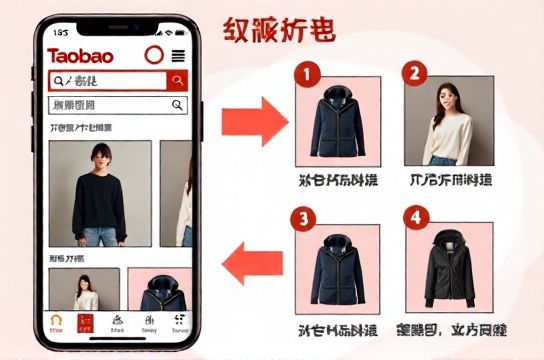
Taobao’s visual search feature is like having a shopping detective in your pocket. Just snap a pic or upload an image, and boom—you get similar products, often at way better prices than what you saw online or IRL.
Why Image Search Rocks on Taobao
Let’s be real: typing vague descriptions like ‘blue floral dress with puff sleeves’ rarely gets you what you want. Spelling mistakes? Dialect differences? Forget it. Image search cuts through the noise. It uses AI to analyze colors, shapes, patterns, and even context. Whether it’s a sneaker, a lamp, or a quirky phone case, if it’s on Taobao, you can find it with a photo.
How to Use Image Search on Taobao (Step-by-Step)
- Open the Taobao app (make sure it’s updated!)
- Tap the camera icon in the search bar at the top
- Choose: take a new photo or pick one from your gallery
- Wait a sec while Taobao scans the image
- Browse results sorted by similarity
Pro tip: Crop your image to focus on the item. Less background = better results.
Image Search Success Rate by Category
| Product Type | Match Accuracy | Avg. Results Returned |
|---|---|---|
| Fashion (Clothing/Shoes) | 92% | 150+ |
| Electronics | 85% | 80 |
| Home Decor | 78% | 120 |
| Beauty Tools | 70% | 60 |
As you can see, fashion items are the easiest to match—probably because Taobao is *packed* with clothing suppliers. Electronics do well too, but exact models might be harder to pin down.
Tips to Maximize Your Image Search Game
- Use high-quality images: Blurry pics = fuzzy results.
- Avoid watermarks: Screenshots from Xiaohongshu or Weibo? Crop out logos.
- Try multiple angles: If the first search fails, upload another version.
- Sort by sales: Once you find matches, filter by highest sales to get the most trusted options.
And don’t sleep on the ‘Similar Items’ section under product pages. Found one you like? Upload its image to dig even deeper.
Real Talk: Limitations?
Sure, it’s not magic. Super niche or custom-made items might not show up. Also, if the item in your photo is a luxury brand, Taobao will likely return affordable dupe versions—which, let’s be honest, is kind of the point.
But overall? Image search is a total game-changer, especially for non-native speakers or anyone tired of mistranslations killing their shopping vibe.
So next time you see something fire, don’t just sigh and scroll past. Pull up Taobao, tap that camera, and turn envy into a checkout cart. Happy hunting!