How to Navigate Taobao Interface in English Mode
- 时间:
- 浏览:332
- 来源:OrientDeck
So you're trying to shop on Taobao, China’s biggest online marketplace, but the sea of Chinese characters is throwing you off? No worries — you’re not alone. While Taobao doesn’t have a full official English version like Amazon or eBay, there *are* smart ways to navigate the interface in English mode and score amazing deals directly from Chinese suppliers.
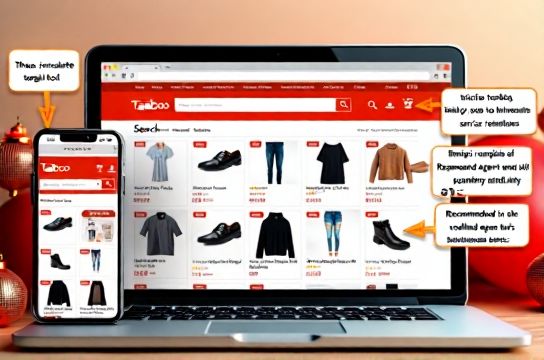
Why Use Taobao in English?
Taobao hosts over 10 million small businesses and offers products at jaw-dropping prices — think 50–80% cheaper than Western retailers. But with 97% of its user base being Mandarin speakers, the platform isn’t built for English users. Still, with the right tools and hacks, you can unlock its full potential.
Step-by-Step: How to Switch Taobao to English Mode
Here's the truth: Taobao does NOT have a native English language setting. Unlike Alibaba or AliExpress, you can't just click a flag icon. But don’t panic — here are three proven workarounds:
- Use Google Chrome Auto-Translate: Open Taobao in Chrome, and when prompted, click 'Translate to English'. It’s not perfect, but it covers 80% of navigation needs.
- Install Translation Extensions: Tools like 'Google Translate' or 'Immersive Translate' overlay real-time translations on Taobao pages.
- Use Third-Party Proxy Sites: Platforms like Taobao agent services (e.g., Basetao, Wegobuy) offer fully translated interfaces and buying assistance.
Top Tools Compared: Translation vs. Agent Services
To help you decide, here’s a quick comparison table:
| Tool | Language Support | Fees | User Rating |
|---|---|---|---|
| Google Chrome Translate | Partial English | Free | ⭐ 4.0 |
| Wegobuy Agent | Full English UI | 3–10% service fee | ⭐ 4.6 |
| Basetao | Full English + App | 5% handling fee | ⭐ 4.5 |
| Taobao Official App | Chinese only | Free | ⭐ 4.8 |
As you can see, while Chrome translate is free, dedicated agents like Wegobuy offer better usability for non-Chinese speakers.
Pro Tips for Smarter Shopping
- Search in Chinese keywords: Even in English mode, typing product names in Chinese (use Google Translate to convert) gives better results.
- Check seller ratings: Look for “皇冠” (crown) or “钻石” (diamond) badges — they indicate trusted sellers.
- Use image search: Upload a product photo to find exact matches — super helpful when text translation fails.
Final Thoughts
Navigating Taobao in English mode isn’t seamless — yet. But with browser tools and agent platforms, it’s totally doable. If you're serious about sourcing affordable goods from China, learning how to use Taobao in English is a game-changer. Start with Chrome translate, then graduate to an agent service as you get more comfortable.
Remember: The future of global e-commerce is cross-border, and Taobao — despite its language barrier — remains a goldmine waiting to be tapped.