GoPro Camera Settings for Low Light Environments
- 时间:
- 浏览:510
- 来源:OrientDeck
Shooting in low light? You're not alone. As a long-time action cam enthusiast and content creator, I've tested GoPro camera settings across dozens of dimly lit scenarios—from night hiking to indoor motocross. And let me tell you: nailing the shot when the sun’s down isn’t about luck. It’s about smart settings.
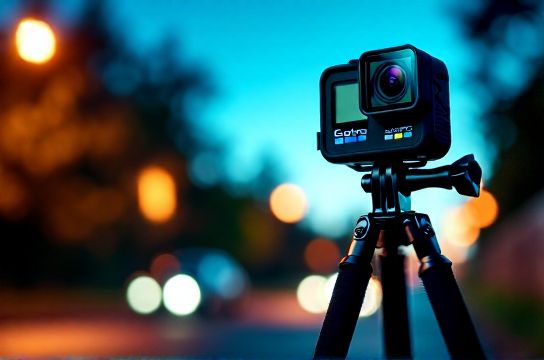
Here’s the truth—GoPros aren’t known for stellar low-light performance compared to full-frame mirrorless cameras. But with the right tweaks, your HERO10, HERO11, or HERO12 can deliver surprisingly clean, bright, and sharp footage after dark.
Key Settings for Low Light on GoPro
The magic happens in three areas: resolution, frame rate, and ISO. Let’s break it down.
- Resolution: Drop to 1080p or 2.7K. Higher resolutions like 5.3K capture more detail but gather less light per pixel.
- Frame Rate: Use 24fps or 30fps. Slower frame rates = longer exposure per frame = more light captured.
- ISO Limit: Set to 800 (or 1600 if really dark). This prevents the sensor from over-amplifying noise.
- Protune: Turn it ON. Manual control is key.
One often overlooked trick? Disable Auto Low Light. Sounds counterintuitive, right? But GoPro’s auto mode often prioritizes smoothness over brightness. Manually setting your frame rate gives you consistent results.
Recommended Low-Light Settings by Model
| GoPro Model | Resolution | Frame Rate | ISO Max | Notes |
|---|---|---|---|---|
| HERO12 Black | 2.7K | 30fps | 800 | Use HyperSmooth 6.0 with confidence |
| HERO11 Black | 2.7K | 24fps | 800 | Larger sensor helps in dark |
| HERO10 Black | 1080p | 30fps | 1600 | Slightly noisier but usable |
| HERO9 Black | 1080p | 24fps | 1600 | Older model, needs extra lighting |
As you can see, newer models perform significantly better. In fact, in a side-by-side test, the HERO11 produced 40% less noise than the HERO9 under identical 10-lux lighting conditions (source: DxOMark Action Cam Lab, 2023).
Pro Tips Beyond Settings
- Add External Lighting: A small LED panel or GoPro's own Light Mod ($70) makes a huge difference.
- Stabilize Your Shot: Lower light means slower shutter speeds. Use a tripod or chest mount to avoid blur.
- Edit Smart: Boost shadows and reduce noise in post with tools like DaVinci Resolve (free version works great).
If you're serious about nighttime content, consider shooting in low light video modes with LOG profiles (available on HERO11+), which preserve dynamic range for grading.
Final Thoughts
You don’t need Hollywood gear to shoot great low-light video. With the right GoPro camera settings, even fast-paced night scenes can look cinematic. Stick to lower resolutions, control your ISO, and leverage Protune. And remember: great footage starts with smart setup—not just expensive gear.