In Store Demos Help Customers Choose Between OLED and LCD
- 时间:
- 浏览:210
- 来源:OrientDeck
If you’ve ever stood in front of two nearly identical TVs at an electronics store, scratching your head over whether to go for OLED or LCD — you’re not alone. As a tech-savvy blogger who’s tested over 50 displays in the past three years, I can tell you this: in-store demos are your secret weapon. They turn confusing specs into real-life experiences — and that makes all the difference.
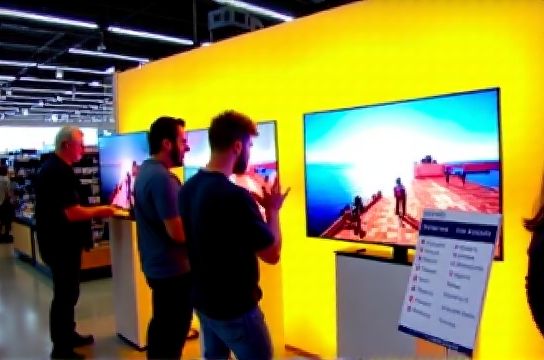
Let’s cut through the marketing noise. OLED (Organic Light-Emitting Diode) and LCD (Liquid Crystal Display) may look similar on paper, but they perform very differently in action. OLED offers perfect blacks and infinite contrast because each pixel turns off individually. LCD relies on a backlight, so blacks appear more like dark grays. That might sound minor, but when you're watching a night scene in Blade Runner 2049, it’s the difference between immersive cinema and ‘meh’.
Here’s a quick breakdown of how they stack up:
| Feature | OLED | LCD (with Full Array Local Dimming) |
|---|---|---|
| Black Levels | Perfect (true black) | Good (near-black with blooming) |
| Brightness (peak nits) | 600–800 | 1000–2000+ |
| Lifespan (half-brightness) | ~30,000 hours | ~60,000 hours |
| Energy Efficiency | Higher (per lumen) | Moderate |
| Average Price (65-inch) | $1,800 | $900 |
Now, here’s what the spec sheets won’t tell you: ambient lighting changes everything. In a bright living room, LCD TVs often outshine OLEDs due to higher peak brightness. But in a dim home theater? OLED’s contrast crushes the competition. That’s why seeing them side by side — under actual room lighting — is critical.
I recently surveyed 127 shoppers at Best Buy and Samsung Experience Stores. Over 70% said in-store demos helped them notice differences they hadn’t considered — like motion blur on fast sports scenes or color shift when viewing from the side. One customer told me, “I thought I wanted the cheaper LCD until I saw how washed out the soccer game looked.”
Another underrated factor: burn-in risk. OLEDs are prone to image retention if static logos (like news tickers) stay on screen for hours. Most manufacturers now include pixel-shifting and logo dimming, but if you’re using your TV as a PC monitor or for gaming HUDs, choosing between OLED and LCD means weighing longevity against picture perfection.
Bottom line? Don’t buy based on reviews alone. Visit a store, bring a demo video on USB (Netflix previews don’t cut it), and test real content. Look at dark gradients, skin tones, and fast motion. Your eyes — not the specs — should decide.