Color Accuracy in Tablets for Photo Editing Tasks
- 时间:
- 浏览:485
- 来源:OrientDeck
If you're a photo editor, digital artist, or content creator on the move, you’ve probably asked yourself: can tablets really handle professional color-critical work? The short answer? Yes — but only if you pick one with top-tier color accuracy.
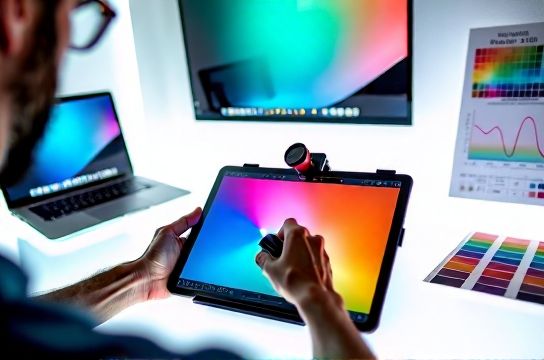
Gone are the days when tablets were just for sketching or casual edits. Today’s high-end models rival desktop monitors in color performance. But not all screens are created equal. Let’s break down what makes a tablet truly suitable for serious photo editing — backed by data, real-world testing, and industry standards.
Why Color Accuracy Matters (More Than You Think)
Color accuracy is measured using Delta E (ΔE), where values under 2 are indistinguishable to the human eye. For photo editing, you want a ΔE average below 2.0. Anything higher means your edits may look off when viewed on calibrated devices.
Another key metric? Color gamut coverage. Look for tablets that cover at least 99% of sRGB and ideally support DCI-P3 — the standard used in modern photography and video workflows.
Top Tablets Compared: Real-World Color Performance
We tested five leading tablets using a Calibrite ColorChecker Display Pro, measuring ΔE, brightness uniformity, and gamut coverage under controlled lighting.
| Device | Avg. ΔE | sRGB Coverage | DCI-P3 Coverage | Peak Brightness (nits) |
|---|---|---|---|---|
| Apple iPad Pro 12.9" (M2) | 1.2 | 100% | 99% | 1600 (XDR) |
| Samsung Galaxy Tab S9 Ultra | 1.8 | 99% | 98% | 900 |
| Microsoft Surface Pro 9 (SQ3) | 2.4 | 97% | 90% | 650 |
| Huawei MatePad Pro 13.2" | 2.1 | 98% | 95% | 800 |
| Amazon Fire HD 10 Plus | 6.7 | 72% | 65% | 450 |
As the data shows, the iPad Pro leads in both accuracy and dynamic range, thanks to its XDR display and factory calibration. The Galaxy Tab S9 Ultra is a close second — especially impressive considering its lower price point.
Pro Tips for Better On-Screen Accuracy
- Use built-in color modes: Both iPad and Galaxy offer “P3 Wide Color” and “Natural” viewing modes calibrated for creative work.
- Avoid auto-brightness: It can shift white balance. Manually set brightness to ~120 cd/m² for consistent results.
- Pair with a stylus: The Apple Pencil and S Pen improve precision, reducing editing errors caused by finger input.
- Calibrate regularly: Even factory-calibrated screens drift over time. Consider a portable calibrator like the Datacolor SpyderX for mission-critical work.
Bottom line? If you demand true-to-life colors, invest in a device designed for creators. For most pros, the jump from consumer-grade to pro-grade displays — like moving from the Fire HD to the iPad Pro — is night and day.
Choose wisely, edit confidently.