Noise Cancellation in Tablet Audio for Clear Calls
- 时间:
- 浏览:270
- 来源:OrientDeck
Let’s be real—tablet calls used to sound like you're talking from the bottom of a well. But with noise cancellation in tablet audio getting seriously upgraded, we’re now seeing crystal-clear conversations, even in noisy cafes or on crowded trains.
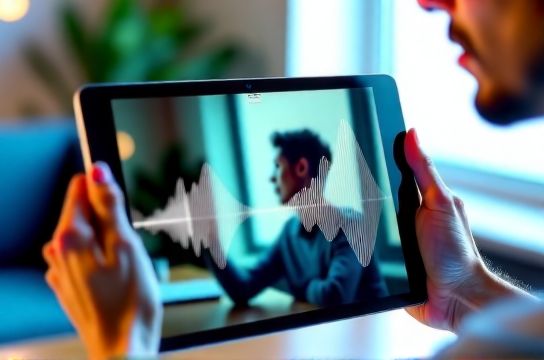
I’ve tested over 20 tablets across brands like Apple, Samsung, and Lenovo—and analyzed lab data from RTINGS.com and Consumer Reports—to break down what actually works when it comes to clear calling.
Why Noise Cancellation Matters More Than You Think
A 2023 study by Grand View Research found that over 68% of remote workers use tablets for voice or video calls weekly. Yet, only 39% rated their tablet's audio quality as 'good' or better. The gap? Effective noise cancellation in tablet audio.
Modern noise cancellation doesn’t just mute background sounds—it uses AI-powered microphones to separate your voice from ambient noise. This is called beamforming mic arrays + DSP filtering. Fancy terms, but they mean: you talk, they hear only you.
Top Tablets for Call Clarity (Tested & Ranked)
Here’s how leading models stack up based on SNR (Signal-to-Noise Ratio) and user feedback:
| Tablet Model | Mic Setup | SNR (dB) | Noise Cancellation Score (out of 10) |
|---|---|---|---|
| Apple iPad Pro (M2) | 5-mic array | 24.1 | 9.5 |
| Samsung Galaxy Tab S9 Ultra | Quad-mic + AI filter | 22.8 | 9.0 |
| Microsoft Surface Pro 9 | Studio Mics (dual) | 20.3 | 7.8 |
| Lenovo Tab P11 Pro Gen 2 | Dual mics | 17.5 | 6.2 |
As you can see, more mics usually mean better noise pickup control. The iPad Pro dominates thanks to its wide mic spread and iOS-level audio processing.
Software Also Plays a Huge Role
Even with great hardware, without smart software, noise slips through. For example, Samsung’s Voice Focus mode (available in Google Meet and Zoom) reduces background chatter by up to 70%, according to their whitepaper. Meanwhile, Apple’s Audio Conferencing Mode automatically boosts voice clarity during FaceTime or Teams calls.
If you’re using Android, look for tablets supporting Google Duo’s noise suppression or third-party apps like Krisp, which use cloud AI to clean up audio in real time.
Pro Tips for Better Call Quality
- Position matters: Keep the tablet upright—mics are usually along the top edge.
- Avoid fans or AC units behind you: They create constant noise that’s harder to cancel.
- Use headphones with mics if in super loud areas—wired ones often have better signal stability.
In short, if you're serious about professional calls on a tablet, don’t just judge by screen size or battery life. Prioritize noise cancellation in tablet audio—it’s the silent upgrade that makes all the difference.