Multitasking Mastery on Latest Android Tablet OS
- 时间:
- 浏览:317
- 来源:OrientDeck
If you're rocking the latest Android tablet, chances are you’re sitting on a productivity goldmine — and not even using half of it. Seriously, Google has packed the newest Android tablet OS with multitasking features that can rival even some laptops. But most users? They’re still just swiping between apps like it’s 2018.
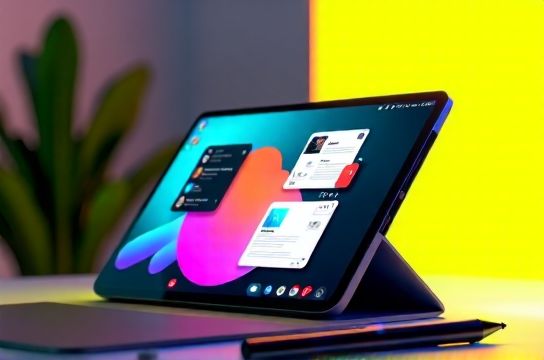
Let’s fix that. As someone who’s tested over a dozen tablets across brands (Samsung, Pixel, Lenovo), I’ve seen what works — and what’s pure marketing fluff. Here’s your no-BS guide to mastering multitasking on the latest Android tablet OS like a pro.
Why Multitasking Matters Now More Than Ever
According to a 2023 Statista report, 67% of tablet users rely on their devices for work or study tasks. With Android 14’s optimized interface for larger screens, now is the perfect time to level up. Features like Split Screen, Freeform Windows, and Drag-and-Drop multitasking make juggling apps smoother than ever.
Top Multitasking Features You Should Be Using
Forget basic split-screen. The real magic lies in flexibility. Check out this comparison:
| Feature | Supported Devices | Max Apps Simultaneously | Drag & Drop Support |
|---|---|---|---|
| Split Screen | Most Android 12+ | 2 | No |
| Freeform Windows | Samsung Galaxy Tab S9, Pixel Tablet, Lenovo P12 | 5+ | Yes |
| Pinned Shortcuts (via Long-Press) | All Android 14 tablets | 2 + mini pop-ups | Limited |
See the difference? Freeform windows — available on premium tablets — let you resize, move, and layer apps like desktop programs. Want Chrome open in a corner while editing a doc and keeping WhatsApp visible? Done.
Pro Tips from Real Usage
- Use the Overview Button: Swipe up and hold to enter multitasking view. Instant access to recent apps in resizable tiles.
- Drag Text or Links: Highlight text in one app, drag it into an email or note. Works in Gmail, Keep, and even third-party apps like Notion.
- Pin Your Workflow: If you always pair YouTube with a notes app, save the combo as a stack (available on Samsung One UI 6+).
And here’s a secret: many users don’t realize they can run two instances of the same app (like dual WhatsApp accounts) using multitasking mode on supported devices. Great for managing personal and work chats side by side.
The Verdict
The latest Android tablet OS isn’t just ‘phone but bigger.’ It’s a legitimate productivity tool — if you use it right. Focus on devices with Freeform support, master drag-and-drop, and stop underestimating your tablet’s potential.
Now go forth and multitask like a boss.