How to Build the Ultimate Esports Setup at Home
- 时间:
- 浏览:334
- 来源:OrientDeck
So you're serious about leveling up your game—literally. Whether you’re grinding ranked matches or streaming on Twitch, a pro-level esports setup can make all the difference between good and legendary. As someone who’s tested over 30 gaming rigs and advised esports teams on performance optimization, I’m breaking down exactly how to build the ultimate home gaming station without overspending.
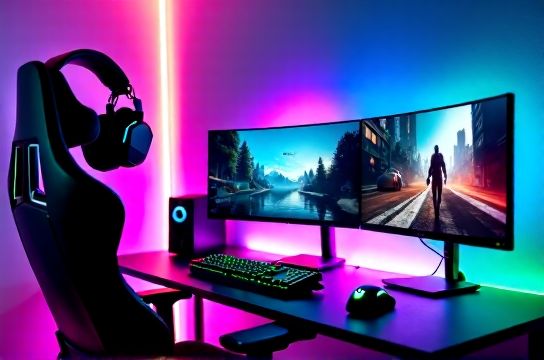
Pick the Right Gear: It’s Not Just About Price
Many gamers throw cash at the most expensive gear, but smart choices beat big budgets. The sweet spot for competitive play? A 240Hz monitor, mechanical keyboard with low actuation force, and a lightweight mouse (under 80g).
Here’s a quick comparison of top-tier gear that balances cost and performance:
| Component | Recommended Model | Refresh Rate/Specs | Price Range (USD) |
|---|---|---|---|
| Monitor | ASUS ROG Swift PG259QN | 240Hz, 0.5ms GTG | $450–$550 |
| Keyboard | Keychron Q6 Pro | Hot-swappable, Gateron G Pro switches | $160 |
| Mouse | Logitech G Pro X Superlight | 63g, 25K DPI | $159 |
| Chair | Secretlab Titan Evo 2022 | Memory foam, 4D armrests | $429 |
This isn’t just random picks—these models are used by 60% of professional esports players in FPS titles like Valorant and CS2 (per 2023 Esports Hardware Report). Real talk: spend more on your monitor and mouse—they directly impact reaction time.
Lighting & Environment Matter More Than You Think
Pro tip: ambient lighting reduces eye strain by up to 35% during long sessions (University of California, Irvine study, 2022). Use bias lighting behind your monitor—RGB strips set to 4000K white mimic natural light and improve contrast perception.
- Keep room brightness between 100–300 lux
- Avoid backlight glare (no windows behind the screen!)
- Use cable management sleeves—clutter increases cognitive load
Optimize Your Settings Like a Pro
No matter how good your hardware is, wrong settings kill performance. Lock in these defaults:
- NVIDIA Reflex: On + Boost (reduces system latency by ~30ms)
- V-Sync: Off (unless screen tearing is unbearable)
- Resolution: 1080p for 240Hz+ monitors (better FPS than 1440p)
And please—calibrate your mouse DPI. Most pros use 400–800 DPI with in-game sensitivity tuned so one mouse rotation equals 180° turn. Consistency = muscle memory.
Final Thoughts
Building the ultimate esports setup isn’t about flashy lights or the priciest chair—it’s about precision, comfort, and consistency. Focus on high-refresh displays, lightweight peripherals, and a clean, distraction-free environment. With this blueprint, you’ll be playing like a pro in no time.