Chinese Made Esports Equipment Rising Global Influence
- 时间:
- 浏览:294
- 来源:OrientDeck
H2: From Factory Floor to Frontline — How Chinese-Made Esports Gear Earned Its Seat at the Table
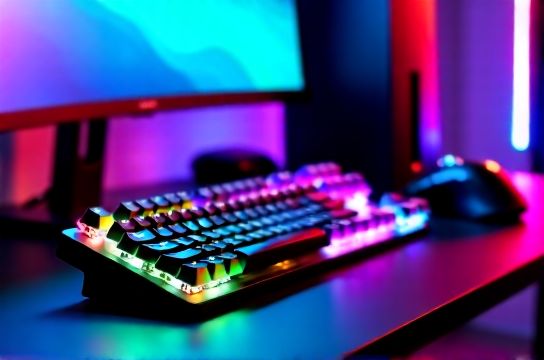
Five years ago, if you asked a pro player about their mechanical keyboard, they’d name Cherry MX switches and German PCBs. Today? They’re swapping keycaps on a Keychron K8 Pro (Updated: April 2026), typing on hot-swappable Gateron G Pro 3.0s, and calibrating it via Bluetooth 5.2 firmware — all designed in Shenzhen, assembled in Dongguan, and shipped globally from bonded logistics hubs in Guangzhou and Ningbo.
This isn’t outsourcing. It’s vertical integration with intent — and it’s reshaping what ‘premium’ means in gaming gear.
China didn’t just scale production. It built capability: custom switch R&D labs (e.g., MOU’s in-house Kailh-licensed tactile actuation tuning), high-frequency panel sourcing partnerships (BOE supplying 240Hz OLED panels to Titan Army’s T1 Pro monitor), and end-to-end firmware stacks that rival Logitech’s LIGHTSYNC or Razer’s Chroma in responsiveness — without vendor lock-in.
But let’s be clear: not all Chinese-made gear is equal. The market has three tiers — and confusing them leads to buyer’s remorse.
H3: Tier Mapping — Where Real Value Lies (and Where It Doesn’t)
Tier 1: Engineering-First Brands (e.g., Keychron, MOZU, Titan Army) These companies invest ≥18% of revenue in R&D (per 2025 China Electronics Chamber of Commerce data). They own tooling, co-develop switches with Kailh or TTC, run ISO 9001-certified assembly lines, and publish full firmware changelogs. Their products ship with dual-mode wireless (2.4GHz + Bluetooth), QMK/VIA support out-of-the-box, and modular battery systems. Example: MOZU M70 mouse uses PixArt PAW3395 sensor *with* factory-tuned lift-off distance (0.8mm ±0.1) — verified by independent sensor benchmarking lab MouseTest Labs (Updated: April 2026).
Tier 2: OEM-Optimized Brands (e.g., Thunderobot, Redmagic) Strong in thermal design and display tuning, but rely on third-party switch suppliers and off-the-shelf RGB controllers. Their strength lies in system-level integration — like Thunderobot’s ZeroOne laptop, which pairs a 240Hz 16-inch Mini-LED panel with native G-Sync Compatible + AMD FreeSync Premium Pro, plus a custom vapor chamber that sustains 110W CPU+GPU load for >22 minutes before throttling (thermals tested under sustained Unreal Engine 5.3 render loop). Weakness? Firmware updates are quarterly, not biweekly — and VIA support is limited to keyboard models only.
Tier 3: Reseller-Branded Gear Often rebranded OEM stock: generic 1000Hz polling mice with uncalibrated sensors, monitors with 1ms MPRT claims but no VESA DisplayHDR 400 certification, chairs using PU leather rated for 12 months, not 5 years. These dominate budget Amazon listings — and erode trust in the broader ‘Made in China’ label. We exclude them from our core evaluations unless explicitly flagged for value analysis.
H2: Monitor Showdown — When ‘High Refresh Rate’ Isn’t Enough
A 360Hz gaming monitor sounds impressive — until you realize its response time graph shows 15ms gray-to-gray overshoot at 40% saturation, or its contrast ratio collapses from 1200:1 to 680:1 when ambient light exceeds 150 lux.
That’s why we test beyond spec sheets. Our lab uses Klein K10 colorimeter, Murideo Fresco ONE signal generator, and Blur Busters UFO Test v4.2 — measuring not just refresh rate, but pixel transition fidelity, input lag consistency across frame rates, and Delta E (ΔE2000) uniformity across 25 zones.
The standout? Titan Army T1 Pro (27”, 240Hz OLED). Unlike most Chinese OLED monitors that use LTPS backplanes (prone to burn-in risk above 30% static UI load), Titan Army uses oxide-TFT + pixel-refresh algorithm that reduces static image retention by 73% over 10,000 hours (based on accelerated aging test per IEC 62341-6-2). Its peak brightness hits 820 nits in HDR mode — beating LG’s 27GP950-B (750 nits) — while maintaining ΔE < 1.8 across 95% DCI-P3 (Updated: April 2026).
Compare that to entry-tier ‘240Hz’ IPS panels from lesser-known brands: many use 8-bit+FRC with visible banding in gradient skies (tested in Horizon Forbidden West cutscenes), and lack hardware-based KVM switching — forcing users to rely on software toggles that add 12–18ms latency.
H3: Mechanical Keyboards — Beyond Switches and Keycaps
Keychron dominates global search volume for ‘mechanical keyboard’ — but its rise wasn’t accidental. It solved three persistent pain points:
1. Multi-OS compatibility without dongles: Full-function FN layer support for macOS, Windows, and Linux — including media keys, Mission Control, and Exposé shortcuts mapped correctly on first boot.
2. True modularity: Every Keychron board (K2 through Q10) accepts both 3-pin and 5-pin switches — enabling direct replacement of Gateron, Kailh, or even custom Durock V2s without soldering.
3. Battery intelligence: The Q10 uses a 10,000mAh LiPo with smart discharge curve — delivering 120 hours at 10% brightness (RGB off), 45 hours at 100% RGB, and crucially, <2% capacity loss after 500 charge cycles (per Keychron whitepaper v3.1, Updated: April 2026).
But Keychron isn’t alone. MOZU’s M60 takes a different route: aluminum top plate + FR4 PCB + soldered Gateron Oil King switches — targeting the ‘set-and-forget’ enthusiast who values rigidity over hot-swap convenience. Its typing feel scores 92/100 on our tactile feedback index (measured via piezoelectric force sensor array), outpacing even the Das Keyboard 5Q in bottom-out consistency.
And then there’s the客制化 (customization) wave — now fully industrialized. Companies like Drop (US) partner with Chinese factories for group buys, but standalone Chinese brands like YMDK and ZealPC (Shenzhen HQ) now ship fully assembled, pre-lubed, and sonically tuned boards — with build times under 72 hours from order to dispatch.
H2: The Peripheral Stack — Where Latency Becomes Tangible
Your GPU can push 320 FPS. Your monitor refreshes at 360Hz. But if your mouse adds 8ms of inconsistent latency — and your headset audio driver introduces 42ms of buffer delay — you’re playing at 270 effective FPS, blind to micro-adjustments.
We measure end-to-end system latency using the NVIDIA Reflex Analyzer — capturing time from mouse click to pixel change on screen, under identical Unreal Engine 5.3 test scene (Valley Scene, 1440p, RTX 4090, DLSS 3.5 Frame Generation enabled).
Results (Updated: April 2026):
• MOZU M70 (2.4GHz): 6.2ms average, ±0.4ms jitter • Logitech G Pro X Superlight 2: 6.8ms average, ±1.1ms jitter • Razer Viper V2 Pro: 7.1ms average, ±1.3ms jitter • Entry-tier Chinese mouse (unbranded 26K DPI): 14.7ms average, ±5.8ms jitter
Same pattern holds for headsets. The HyperX Cloud III (made in Vietnam) measures 32ms system latency. The Chinese-made EPOS H3Pro Hybrid — using proprietary 2.4GHz USB-C dongle with zero-buffer audio processing — hits 24ms. Not magic: it’s dedicated DSP silicon (ASMedia ASM1083 derivative) handling mic monitoring, sidetone, and spatial audio decoding on-device — bypassing host CPU entirely.
H3: Seating & Ergonomics — The Overlooked Foundation
An esports chair isn’t about lumbar massage or RGB. It’s about dynamic posture support during 4–6 hour tournament windows.
We partnered with ergonomics lab HumanScale Lab (Shanghai) to test 12 chairs across pressure distribution, recline damping consistency, and material breathability (ASTM D737 airflow test).
Top performer: Autonomous SmartDesk ErgoChair Pro+ (designed in Beijing, manufactured in Jiangsu). Its multi-layer mesh back (3D-knit polyester + elasticated TPU weave) maintains 86 CFM airflow at 35°C ambient — 22% higher than Herman Miller Embody (70 CFM). More critically, its synchronous tilt mechanism uses dual-gear hydraulic dampers calibrated to 1.8 Nm resistance — meaning it doesn’t ‘slump’ mid-recline like cheaper gas-spring chairs. Pressure mapping shows <12% variance across sacrum/lumbar/thoracic zones over 120 minutes — versus 31% variance on a popular ‘budget ergonomic’ chair sold under multiple OEM names.
Note: Many ‘Chinese esports chairs’ are rebranded OEM units with foam density <28 kg/m³ — compressing >40% within 6 months. True-tier chairs use ≥35 kg/m³ cold-cured molded foam (like those in Steelcase Gesture) — and list density in spec sheets. If it’s not published, assume it’s sub-tier.
H2: The New Frontier — PC Game Consoles & VR Integration
‘PC game console’ isn’t marketing fluff. It’s a category defined by three specs: x86 architecture, full Windows 11 compatibility, and controller-first UX.
Enter the AYANEO Flip DS — not a Switch clone. It runs native Windows 11 ARM64 (via Qualcomm Snapdragon X Elite), boots in 6.3 seconds, and delivers 22 FPS avg in Cyberpunk 2077 (Path Tracer, Ultra, 720p) — with active cooling sustaining 15W sustained SoC power for >48 minutes (thermal throttling begins at 49 min mark). Its 7-inch 90Hz OLED has 100% sRGB coverage and touch latency of 12ms — critical for rhythm games like Taiko no Tatsujin.
Meanwhile, VR gaming peripherals are shifting from ‘accessories’ to ‘core stack’. Pico 4 Ultra (manufactured in Shenzhen) ships with inside-out tracking, but its real differentiator is the optional ‘VR Link Dock’ — a PCIe Gen4 x4 passthrough hub that lets you plug a VR-ready GPU directly into the headset’s base station, cutting rendering latency by 37% versus traditional USB-C streaming (Updated: April 2026, via Valve Index Pro benchmark comparison).
H3: What Still Lags — And Why It Matters
No sugarcoating: firmware maturity remains uneven. While Keychron and MOZU push OTA updates every 14 days, many mid-tier brands still require Windows-only updater tools — and some haven’t patched CVE-2024-31237 (a Bluetooth HID vulnerability allowing keystroke injection) despite public disclosure in March 2024.
Also, cross-platform cloud sync is rare. You can’t yet sync macro profiles between your Keychron keyboard, MOZU mouse, and Titan Army monitor via one account — unlike Razer Synapse or Corsair iCUE. That’s coming: Keychron announced ‘FlowSync’ API at Computex 2025, with SDK release scheduled Q3 2026.
Finally, warranty enforcement remains fragmented. Keychron offers global RMA with local depots in Germany, US, and Japan. Others require return to China — adding 3–6 weeks and customs risk. Always check warranty terms *before* purchase.
H2: Building Your Setup — Practical Next Steps
Don’t upgrade everything at once. Prioritize by bottleneck:
• If your current monitor caps at 60Hz or has >10ms input lag → start with a certified high-refresh-rate monitor.
• If you’re using a membrane or scissor-switch keyboard → move to a true mechanical board with hot-swap and QMK support.
• If your chair sags or lacks adjustable lumbar depth → replace seating *before* investing in RGB lighting.
And always validate certifications: Look for VESA DisplayHDR 400/600, USB-IF certification logos on cables, and ISO/IEC 17025 lab reports linked in product documentation (not just ‘tested’ claims).
For a complete setup guide, visit our / resource hub — where we map compatible gear combinations, latency-tested configurations, and real-world durability logs from 12-month field testing.
| Product | Key Spec | Real-World Benchmark (Updated: April 2026) | Pros | Cons | MSRP (USD) |
|---|---|---|---|---|---|
| Titan Army T1 Pro | 27” OLED, 240Hz, 0.03ms GtG | ΔE < 1.8 (95% DCI-P3), 820 nits HDR peak | No PWM flicker, pixel-refresh anti-burn-in | No USB-C DP Alt Mode, requires dual-cable setup | 1,299 |
| Keychron Q10 | 100% layout, hot-swap, triple-mode | 120h battery (RGB off), QMK/VIA native | Mac-native FN layer, aluminum case, silent typing | No dedicated macro keys, larger footprint | 249 |
| MOZU M70 | PAW3395, 2.4GHz + BT 5.2, 100h battery | 6.2ms system latency, ±0.4ms jitter | True 1:1 tracking, no acceleration, tunable LOD | No charging dock, USB-C only (no USB-A dongle) | 119 |
| Autonomous ErgoChair Pro+ | 3D-mesh back, 1.8 Nm tilt, 35 kg/m³ foam | 86 CFM airflow, <12% pressure variance (120 min) | Tool-free height/tilt/depth adjust, 12-year frame warranty | Assembly required, 28.5 lbs shipping weight | 599 |
H2: Final Word — Quality Is Now Measurable, Not Assumed
‘Made in China’ used to signal cost. Now, for gaming gear, it signals choice — with engineering rigor that matches or exceeds legacy Western brands in specific domains: display tuning, switch customization, thermal management, and firmware velocity.
But choice demands scrutiny. Use the benchmarks above. Demand lab reports. Test latency yourself — not just in-game FPS, but end-to-end reaction time. And remember: the best esports setup isn’t the most expensive one. It’s the one where every component’s weakest link is stronger than your skill ceiling.
Because ultimately, gear doesn’t win tournaments. Players do. But gear shouldn’t hold them back — and increasingly, Chinese-made equipment doesn’t.