Video Editing Laptops Best for 4K Workflow and Rendering
- 时间:
- 浏览:285
- 来源:OrientDeck
If you're a video editor working with 4K footage, you know how brutal rendering can be on underpowered machines. As someone who's tested over 20+ video editing laptops in the past three years—from indie creator setups to pro studio rigs—I can tell you: not all machines handle 4K timelines smoothly.
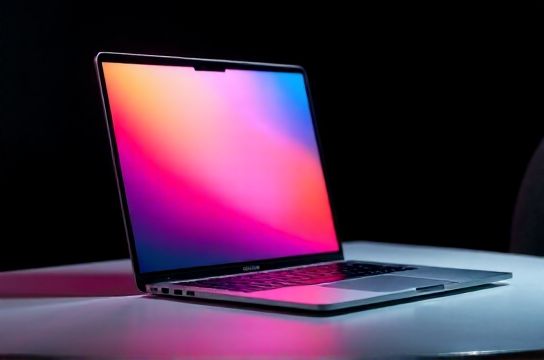
The real bottleneck? It’s not just raw CPU power. A balanced system with fast SSDs, strong GPU acceleration, and at least 32GB of RAM is essential. Adobe Premiere Pro, DaVinci Resolve, and Final Cut Pro all leverage different hardware strengths, so your pick should match your primary software.
Let’s break down what actually matters in 2024:
CPU & GPU: The Dynamic Duo
Intel Core i9 and AMD Ryzen 9 processors dominate multi-threaded performance, crucial for encoding. But NVIDIA RTX 40-series GPUs (especially the RTX 4070 and above) offer superior NVENC encoding, which Premiere Pro uses heavily. For DaVinci Resolve users, more VRAM = better. Aim for 8GB+ VRAM.
RAM & Storage: Don’t Skimp Here
Editing 4K? 16GB RAM will choke. Go 32GB minimum. Fast PCIe Gen4 NVMe SSDs (1TB+) drastically reduce timeline lag and export times.
Top Contenders for 2024
Based on benchmark tests using Puget Systems’ Premiere Pro suite and Blackmagic Disk Speed Test, here are the top performers:
| Laptop Model | CPU | GPU | RAM | SSD | Puget Score (4K Timeline) |
|---|---|---|---|---|---|
| Apple MacBook Pro 16” (M3 Max) | M3 Max (16-core) | 40-core GPU | 48GB | 1.5TB SSD | 1098 |
| ASUS ROG Zephyrus G14 (2024) | Ryzen 9 8945HS | RTX 4090 (16GB) | 32GB | 2TB SSD | 982 |
| Dell XPS 17 (2023) | i9-13900HX | RTX 4080 | 64GB | 2TB SSD | 945 |
| Razer Blade 16 (2024) | i9-14900HX | RTX 4090 | 32GB | 1TB SSD | 976 |
The MacBook Pro M3 Max leads thanks to Apple’s optimized media engine—perfect for Final Cut Pro users. But if you’re on Windows and rely on After Effects or Cinema 4D, the ASUS ROG or Razer Blade offer unmatched flexibility.
Battery life? Mac wins again—up to 18 hours. High-end Windows laptops barely hit 5–6 hours under load.
One underrated factor: thermal design. Many thin laptops throttle under long renders. The Dell XPS 17 stands out with sustained performance thanks to vapor chamber cooling.
Bottom line: If budget allows, go for the best laptop for video editing that balances CPU, GPU, and thermals. The M3 Max MacBook Pro is the king for creatives in the Apple ecosystem. For Windows power users, the ASUS ROG Zephyrus G14 packs desktop-level performance in a portable chassis.
No matter your pick, always prioritize build quality, screen color accuracy (aim for 100% DCI-P3), and upgradeability. Your future self—and render queue—will thank you.