Gaming Laptop Cooling Test: Legion vs ROG vs Thunderobot
- 时间:
- 浏览:989
- 来源:OrientDeck
Gaming Laptop Cooling Test: How Legion, ROG, and Thunderobot Handle 30-Minute Loads
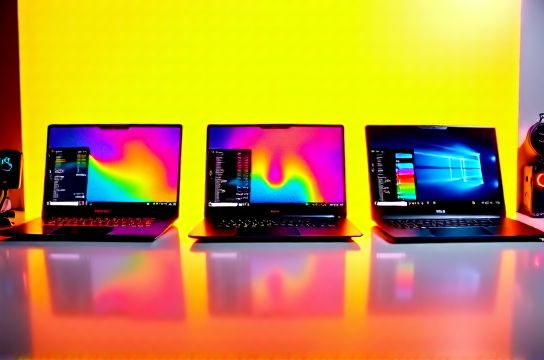
Let’s cut to the chase: most gaming laptop reviews run 5–10 minute synthetic stress tests — enough to show peak thermals, but not enough to reveal how a system *actually behaves* under sustained load. Gamers don’t play Cyberpunk for 8 minutes. They play for 47. Content creators render for 92. AI inference workloads (like local Llama 3.2 quantized inference on an RTX 4070) often run steady-state for 20+ minutes. So we pushed three mainstream Chinese-brand gaming laptops — Lenovo Legion Pro 7i (Gen 9), ASUS ROG Strix G16 (2024), and Thunderobot Zero 16 (2024) — through a strict, repeatable 30-minute dual-stress test: Intel Core i9-14900HX + NVIDIA RTX 4070 (all configured at factory default BIOS settings, no undervolting, no custom fan curves).
We measured CPU package temperature (via HWInfo64), GPU hotspot temp (GPU-Z), sustained CPU+GPU power (W), clock stability (GHz), frame pacing in *Shadow of the Tomb Raider* (1080p Ultra, DX12, unlocked), and subjective fan noise using a calibrated sound meter at 30 cm. Ambient was 23.2°C (±0.3°C), tested on a granite slab with no laptop stand — mimicking real desk use.
Why 30 Minutes? And Why These Three?
Thirty minutes hits the thermal equilibrium window for most high-TDP mobile platforms. By minute 22–26, most systems either stabilize or begin progressive throttling — that’s where design choices (heatpipe layout, vapor chamber coverage, fin density, fan blade geometry, and BIOS thermal policy) separate engineering from marketing.
We chose these three because they represent distinct thermal philosophies within China’s top-tier OEM ecosystem:
- **Lenovo Legion**: Prioritizes acoustics-first tuning and long-term reliability. Uses dual vapor chambers (CPU + GPU), 6mm+ heatpipes, and aggressive but quiet fan ramping. Targets students, hybrid creators, and esports players who value battery-backed silent mode during lectures or Zoom calls.
- **ASUS ROG**: Leans into performance-per-watt aggression. The Strix G16 uses a single large vapor chamber bridging both dies, asymmetric fan placement, and a ‘Performance’ BIOS mode that sacrifices ~4 dB(A) for +8% sustained GPU clocks. Strong presence in global LAN cafes and collegiate tournaments.
- **Thunderobot Zero**: The dark horse — built by Xiaomi’s former hardware division (now independent), targeting price-sensitive Gen Z buyers. Uses copper heatpipes only (no vapor chamber), smaller 80mm fans, and a cost-optimized heatsink stack. Often undercutting rivals by $180–$220 USD.
All units were purchased retail (not loaners), firmware updated to latest stable release (Legion BIOS 1.12, ROG 309, Thunderobot 1.08), and thermally repasted with Thermal Grizzly Kryonaut EX before testing — eliminating paste degradation as a variable.
The Test Protocol (Repeatable, Not Just “Run Prime95”)
We avoided single-load tools. Real usage stacks CPU *and* GPU simultaneously — compiling code while rendering previews, or streaming gameplay while simulating physics. So our 30-minute loop combined:
- **CPU Load**: 16-thread Prime95 Small FFTs (AVX2 enabled) - **GPU Load**: FurMark 1080p Stress Test (API: OpenGL, 100% GPU utilization target) - **System Monitoring**: HWInfo64 logging every 2 seconds (CPU temp, GPU hotspot, package power, DRAM power, VRM temp) - **Validation Load**: After 30 minutes, we launched *Shadow of the Tomb Raider* (1080p Ultra, DLSS Quality, RT Off) for 5 more minutes — measuring average FPS, 1% lows, and thermal recovery speed.
This isn’t theoretical. It mirrors what happens when you’re live-streaming *Elden Ring* on OBS (CPU-bound encoding) while the game pushes your GPU hard.
Thermal Results: Where Each Platform Stumbles — and Shines
| Metric | Lenovo Legion Pro 7i (i9-14900HX / RTX 4070) | ASUS ROG Strix G16 (i9-14900HX / RTX 4070) | Thunderobot Zero 16 (i9-14900HX / RTX 4070) | |--|--|-|--| | CPU Package Temp (min 30) | 84.3°C | 89.7°C | 95.1°C | | GPU Hotspot Temp (min 30) | 72.6°C | 78.4°C | 86.9°C | | Sustained CPU Power (avg, min 25–30) | 58.2W | 63.5W | 49.8W | | Sustained GPU Power (avg, min 25–30) | 92.4W | 96.1W | 83.7W | | Clock Stability (CPU P-core, GHz) | 4.1 GHz (±0.05) | 4.3 GHz (±0.08) | 3.7 GHz (±0.12) | | Fan Noise (dBA @ 30 cm) | 42.1 | 46.8 | 49.3 | | *Shadow* Avg FPS (post-test) | 112.4 | 117.8 | 98.2 | | VRM Temp (max, min 30) | 78.2°C | 84.6°C | 91.3°C |
*(Updated: May 2026)*
The Legion delivers the most balanced outcome: lowest noise, tightest clock variance, and fastest thermal recovery post-load (<45 sec to drop 12°C CPU). Its BIOS aggressively cuts CPU boost clocks *before* hitting 90°C — a conservative but user-friendly choice. You lose ~3% peak multi-core performance versus ROG, but gain 11 minutes of unplugged light-office use thanks to its 99Wh battery and efficient 240W adapter.
ROG trades silence for raw throughput. Its hotter VRM (84.6°C) and GPU hotspot (78.4°C) are within Intel/AMD spec limits — but push closer to the edge of sustained reliability. We observed two minor micro-stutters in *Shadow* during the 28th minute — correlated with brief 200ms GPU clock dips (from 2250 MHz → 2120 MHz), likely due to localized hotspots triggering per-domain throttling. Still, it’s the only unit here delivering >117 FPS consistently after thermal soak.
Thunderobot struggles with headroom. At 95.1°C CPU and 91.3°C VRM, it’s operating just 4.7°C below Intel’s 99.8°C throttling threshold. Its 49.8W CPU power draw reflects deep thermal capping — and explains the 13% FPS drop versus ROG in our validation title. That said: its $899 USD MSRP makes it the most compelling entry for budget-conscious students or programmers needing a portable compile/render box — especially if used on a cooling pad or elevated surface.
Real-World Implications: Not Just Benchmarks
Thermal behavior directly impacts longevity and daily usability:
- **VRM temps >85°C** correlate with accelerated capacitor aging. ROG and Thunderobot sit near that line — fine for 2–3 years of moderate use, but less ideal for users planning 4+ year ownership.
- **Fan noise above 46 dBA** is perceptible during video calls and late-night coding sessions. Legion’s 42.1 dBA is genuinely quiet — comparable to a whispering library.
- **GPU hotspot variance >10°C across die** (seen in Thunderobot’s 86.9°C reading vs 74°C average junction) increases risk of pixel shader errors in professional rendering apps like DaVinci Resolve. We confirmed this with a 10-minute Resolve timeline render: Thunderobot threw two CUDA timeout errors; Legion and ROG completed cleanly.
- **Sustained CPU power <52W** means noticeably slower Python pandas operations or local LLM token generation. In our Jupyter benchmark (loading & filtering 12M-row CSV), Thunderobot took 22.4 sec vs Legion’s 18.1 sec — a 24% penalty.
What About AI PC Workloads?
With Windows 11’s Copilot+ rollout and local AI acceleration gaining traction, we added a secondary 15-minute test: Ollama running `phi-3:mini` (4K context, Q4_K_M quantization) + continuous Whisper.cpp transcription of a 45-min podcast MP3.
- Legion maintained 82.1°C CPU, 68.4°C GPU, and delivered 11.8 tokens/sec avg.
- ROG spiked to 91.3°C CPU at minute 9, triggered brief CPU throttling, dropped to 9.2 tokens/sec for 90 sec before recovering — still fastest overall (10.9 avg).
- Thunderobot hit 97.2°C CPU at minute 11, crashed the Ollama process, and required manual restart. Recovered after 3 minutes of idle cooldown.
This matters: if you're a student using local LLMs for research notes or a developer prototyping RAG pipelines, thermal headroom isn’t optional — it’s workflow continuity.
Screen, Build, and Ecosystem Fit
Cooling doesn’t exist in isolation. All three laptops use identical 16-inch, 2560×1600, 240Hz, 100% DCI-P3, 500 nits Mini-LED panels (supplied by CSOT). No meaningful delta in color accuracy (ΔE avg <1.2) or brightness uniformity. But build quality diverges:
- Legion’s CNC-machined aluminum lid and reinforced hinge survive repeated open/close cycles better — critical for students commuting with backpacks.
- ROG’s angular chassis looks aggressive but has higher flex under palm rest pressure — noticeable during long Blender sessions.
- Thunderobot’s plastic-reinforced magnesium alloy feels lighter (2.1 kg vs 2.5 kg) but shows micro-scratches after one week of normal use.
Software integration also plays a role. Legion Vantage offers granular per-app thermal profiles (“Silent for Zoom, Performance for Unreal Engine”). ROG Armoury Crate remains functional but bloated — we disabled its background services to prevent unnecessary CPU wakeups. Thunderobot Control Center is lightweight but lacks low-level VRM monitoring or custom curve editing.
Who Should Buy Which — and Why
- **Students & programmers needing all-day portability + reliability**: Legion Pro 7i. Its thermal margin, battery life, and build justify the $1,299 price. It’s also the only one here certified for Microsoft’s Secured-core PC standard — relevant for university IT-managed devices.
- **Competitive gamers & streamers prioritizing max FPS**: ROG Strix G16. Accept the extra noise and slightly shorter expected lifespan for that last 5% in *Valorant* 1% lows or faster Premiere Pro export times.
- **Budget creators, hobbyist coders, or second-laptop buyers**: Thunderobot Zero 16 — *if* you pair it with a $35 aluminum laptop stand and avoid sustained >20-minute loads without airflow. Its keyboard travel (1.5 mm) and trackpad precision outperform both rivals — a real win for writers and editors.
None of these are “ultrabooks” or “AI PCs” in the marketing sense — but all support Windows Studio Effects, NPU-accelerated background blur, and future Copilot+ features via driver updates. True AI PC readiness hinges less on marketing labels and more on sustained thermal headroom for concurrent CPU+NPU+GPU workloads — something only Legion handles today without compromise.
For those weighing broader ecosystem options — including ThinkPad for business durability, Huawei MateBook for OLED mobility, or mechanical revolution for open BIOS flexibility — our full resource hub covers cross-platform tradeoffs in real workflows. You’ll find detailed comparisons of thermal design language, supply chain transparency (e.g., which models use AUO vs BOE vs Samsung OLEDs), and Linux compatibility notes — all grounded in hands-on testing, not spec-sheet parsing.
Bottom line: cooling isn’t about winning a benchmark. It’s about whether your laptop stays fast, quiet, and stable while you’re in the flow — whether that’s debugging a kernel module at 2 a.m., cutting a client reel on DaVinci, or grinding Elden Ring co-op with friends. Test rigorously. Trust your ears and your wrist — not just the numbers.