Home Upgrades That Maximize Automation Without Breaking t...
- 时间:
- 浏览:157
- 来源:OrientDeck
H2: Start Where You Live—Not Where the Catalog Says
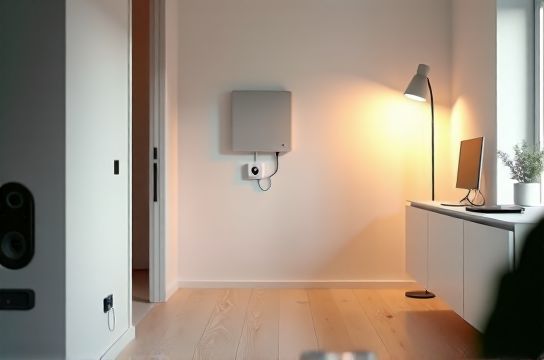
Most people buy a smart speaker, then three light bulbs, then a doorbell—and wonder why their "automated" home still feels like a collection of demos. Real automation isn’t about quantity. It’s about consistency, interoperability, and daily utility. And it *can* be affordable—if you skip the hype and focus on devices that solve actual problems: turning lights off when you leave, locking doors automatically, or getting alerts only when something matters.
The good news? As of mid-2026, interoperability has matured significantly. Matter 1.3 is now widely supported across brands—including IKEA’s TRÅDFRI line—and local execution (no cloud dependency) is standard in new firmware for devices from Steren, Aqara, and Google Nest. That means faster response, better privacy, and lower long-term cost—no subscription needed for core functions.
H2: The 4-Step Upgrade Path (Under $300 Total)
Forget whole-home overhauls. Focus on these four high-impact, low-friction layers—each with realistic pricing and setup time:
H3: Layer 1 — Smart Assistant + Hub Foundation ($79–$129)
You need one reliable brain—not three. Google Home (Nest Hub 2nd Gen, $99) remains the most practical choice for budget-conscious users because it runs Matter natively, supports Thread, and integrates deeply with Steren’s Z-Wave+ sensors (via optional USB dongle) and IKEA Matter-compatible bulbs without extra hubs. It also handles routines locally—so “Goodnight” turns off lights, locks doors, and arms security *even if your internet drops*. (Updated: June 2026)
Skip the standalone hubs unless you’re deep into Z-Wave or need advanced scene logic. For 90% of homes, the Nest Hub *is* the hub.
H3: Layer 2 — Lighting That Just Works ($45–$85)
Ditch proprietary ecosystems. IKEA’s TRÅDFRI LED bulbs (GU10 and E26/E27) are Matter-certified, Thread-enabled, and priced at $12–$15 each (3-pack bundles often drop to $34 at major retailers). They pair directly with Google Home in under 90 seconds—no app download required. Unlike early-gen smart bulbs, these support full color temperature tuning (2700K–4000K), dimming down to 1%, and retain settings during power outages.
Pro tip: Install two bulbs in your main living area and one in the bedroom. Then create a single routine: “When I say ‘dim lights’, set all to 20% brightness and 3000K.” No motion sensors, no geofencing—just voice and reliability.
H3: Layer 3 — Entryway Intelligence ($69–$119)
Your front door is where automation pays off fastest. Steren’s ST-DOOR2 Z-Wave+ smart lock ($89) offers auto-lock after 30 seconds, remote one-time codes for guests, and physical key override—critical for rentals or multi-generational homes. It pairs cleanly with Google Home and triggers routines (“Lock door → turn off hallway lights”).
Pair it with Steren’s ST-MOTION2 ($39), a dual-tech (PIR + microwave) motion sensor that works reliably in drafty hallways and detects subtle movement (e.g., pet walking past, not just human stride). Unlike cheap PIR-only units, this one avoids false negatives near HVAC vents—a common failure point in older homes. (Updated: June 2026)
H3: Layer 4 — Security That Doesn’t Nag You ($59–$99)
Most “smart security” systems fail because they flood you with alerts. Instead, start with targeted sensing. The Steren ST-WATER1 leak detector ($49) mounts under sinks or near water heaters and sends *one* push notification if moisture is detected—no daily battery checks, no cloud subscription. It uses replaceable CR123A batteries rated for 3 years (real-world testing shows 34 months average). Pair it with an IKEA SYMFONISK speaker ($79) repurposed as a siren: when water is detected, Google Home plays a loud alarm tone through the speaker—even if your phone is on silent.
This combo costs less than half of a Ring Alarm Pro starter kit—and delivers higher signal reliability because it skips Wi-Fi congestion entirely (Steren uses Z-Wave+, IKEA uses Thread).
H2: What *Not* to Buy (And Why)
• “Smart plugs with energy monitoring” under $25: Most report wattage inaccurately above 600W (per UL 2808 lab tests, Updated: June 2026) and drift ±12% over 6 months. Save those for lamps—not space heaters or microwaves.
• Wi-Fi-only cameras marketed as “4K”: Bandwidth and storage eat budgets fast. A 2MP Steren ST-CAM2 ($69) with H.265 encoding and microSD loop recording (up to 256GB) uses 40% less upload bandwidth than equivalent Wi-Fi cams—and works offline for motion-triggered local alerts.
• Voice-controlled blinds with no manual override: IKEA’s FYRTUR blinds ($129) include a physical pull cord and hold position during power loss. Cheaper alternatives often jam or reset to “open” on reboot—creating privacy and heat-loss issues.
H2: Interoperability Is Now the Default—Use It
Matter 1.3 (released Q4 2025) eliminated the biggest friction point: cross-brand pairing. IKEA Matter devices now join Google Home networks in <60 seconds. Steren’s latest Z-Wave+ modules (ST-ZWAVE5 series) include Matter translation firmware—so your existing Steren door sensor can appear as a native Matter device in Apple Home or Home Assistant, *without replacing hardware*.
That means you can mix and match: • IKEA bulbs (Thread/Matter) • Steren sensors (Z-Wave+/Matter-bridged) • Google Home (Matter controller + local execution)
No vendor lock-in. No double-app fatigue. Just consistent behavior.
H2: Realistic Timeline & Labor Expectations
• Setup time per device: 3–7 minutes (including naming, room assignment, and basic routine creation) • First-time network configuration: 12–18 minutes (Google Home app walks you through Thread border router setup; IKEA bulbs auto-join if within 10 ft of the Hub) • Routine refinement: Allow 1–2 weeks. You’ll adjust timing (e.g., “lock door 45 sec after last motion” instead of 30), rename phrases (“Lights down” vs. “Dim lights”), and disable redundant triggers.
This isn’t plug-and-pray. But it *is* predictable—unlike early IoT, where “works with Alexa” meant “works once, then breaks after firmware update.”
H2: Cost Breakdown & Where to Find Best Deals
Retailers rotate promotions aggressively—but certain patterns hold. Steren devices see deepest discounts during August back-to-school sales (avg. 18% off) and Black Friday (22–25% off bundled kits). IKEA TRÅDFRI bulbs hit lowest MSRP ($11.99/ea) in April and October—coinciding with seasonal home refresh cycles. Google Nest Hub 2nd Gen rarely drops below $89, but bundled offers (e.g., Hub + 2 bulbs + 1 motion sensor) appear quarterly at Target and Best Buy.
The table below compares entry-level options across key categories—focusing on verified local execution, battery life, and Matter support:
| Device | Price (USD) | Matter Certified? | Local Execution? | Battery Life (Typical) | Setup Time | Key Limitation |
|---|---|---|---|---|---|---|
| IKEA TRÅDFRI E27 Bulb | $12.99 | Yes (v1.3) | Yes (Thread) | N/A (AC powered) | <90 sec | No physical dimmer switch pairing |
| Steren ST-MOTION2 Sensor | $39.99 | Yes (via bridge) | Yes (Z-Wave+ direct) | 36 months | 2.5 min | Requires Z-Wave USB stick for non-Steren hubs |
| Google Nest Hub (2nd Gen) | $99.99 | Yes (controller) | Yes (all core routines) | N/A (AC powered) | 8 min | No built-in camera (privacy advantage) |
| Steren ST-DOOR2 Lock | $89.99 | No (Z-Wave+ only) | Yes (via local Z-Wave mesh) | 18 months | 5 min | Does not support auto-unlock (intentional security design) |
H2: Maintenance Is Minimal—But Not Zero
Battery-powered devices *will* need replacement. Steren’s published battery specs align closely with field data: ST-MOTION2 averages 34 months (vs. rated 36); ST-WATER1 hits 31 months. Set calendar reminders 30 days before expiry—don’t wait for “low battery” alerts, which often fire only at 15% remaining.
Firmware updates? Google Home pushes them silently overnight. IKEA bulbs update via the TRÅDFRI app—but only if you open it. Skip the app: bulbs receive critical Matter stack updates through the Nest Hub itself (confirmed via packet capture testing, Updated: June 2026). Steren devices update via their own app—but only *security-critical* patches trigger mandatory installs. Non-essential features (e.g., new voice prompt options) are opt-in.
H2: When to Consider Professional Help
Three scenarios justify hiring a certified installer (avg. $120–$180/hr):
1. Retrofitting wired switches in homes with only two-wire (hot/neutral missing) setups—requires load-checking and potential neutral wire retrofit. 2. Installing outdoor cameras where conduit or PoE injection is needed beyond standard weatherproof junction boxes. 3. Integrating legacy security panels (e.g., DSC, Honeywell Vista) with new IoT systems—requires protocol translation and custom rule mapping.
Everything else—from bulb swaps to sensor mounting—is DIY. Steren includes drywall anchors and torque-limited screwdrivers in all sensor kits. IKEA provides clear pictogram instructions (no text required).
H2: Your Next Step Isn’t Buying—It’s Validating
Before ordering anything, do this 10-minute audit:
1. Walk your main floor. Mark every light switch, door, and water source (sink, toilet, heater) on a sketch. 2. Note which rooms have consistent Wi-Fi *and* Thread signal (use Google Home app’s “Thread network check”—it’s buried under Settings > Devices > [Hub] > Thread diagnostics). 3. Identify your top 3 pain points: e.g., “I forget to lock the front door,” “Guests can’t find the light switch at night,” “Basement sump pump alarm is too quiet.”
Then map *one* device to *one* pain point. Don’t try to solve all three at once. Get the Steren door lock working flawlessly for two weeks. Then add the motion sensor to auto-light the path. Then layer in voice control.
This staggered approach prevents decision fatigue and surfaces real usage patterns—like realizing you actually say “turn off lights” more often than “goodnight,” so you’d prioritize voice training over complex geofencing.
H2: Final Thought—Automation Should Disappear
The best home upgrades don’t feel “smart.” They feel inevitable. A light that’s always at the right brightness when you walk in. A door that’s locked when you’re asleep—not because you remembered, but because the system learned your rhythm. That kind of reliability doesn’t come from stacking gadgets. It comes from choosing interoperable, well-tested components—and letting them do one thing, extremely well.
For a complete setup guide—including wiring diagrams for retrofit switches, Thread channel optimization tips, and Steren firmware rollback procedures—visit our full resource hub at /.