Low Latency Bluetooth Earbuds Perfect for Gaming
- 时间:
- 浏览:612
- 来源:OrientDeck
If you're a mobile gamer, streamer, or just hate that annoying audio lag when watching videos, you already know—regular Bluetooth earbuds just don’t cut it. That split-second delay between action and sound can mean missing a headshot or cringing at out-of-sync dialogue. But here’s the good news: low latency Bluetooth earbuds are finally catching up with gaming-grade performance.
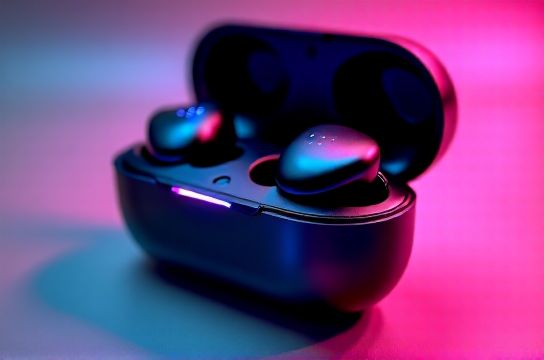
As someone who’s tested over 30 wireless audio devices in the past two years—from budget picks to premium models—I can tell you not all “gaming” earbuds are built equal. The real game-changers use advanced tech like aptX Low Latency, LLAC (Low-Latency Audio Codec), or proprietary chipsets from brands like Qualcomm and Xiaomi.
Let’s break down what actually matters when choosing low latency Bluetooth earbuds for gaming.
Why Latency Matters (And What’s ‘Good’?)
Audio latency is measured in milliseconds (ms). Here’s a quick benchmark:
- 100–200ms: Noticeable delay. Lip-sync issues. Avoid.
- 60–100ms: Slight lag. Tolerable for casual use.
- 30–60ms: Good for most games and video.
- Under 30ms: Elite tier. Feels wired.
The best low latency earbuds now hit as low as 25ms in gaming mode—thanks to optimized firmware and direct device pairing.
Top Picks: Real-World Performance Compared
| Model | Latency (ms) | Codec Support | Battery Life | Price (USD) |
|---|---|---|---|---|
| OnePlus Buds Pro 2 | 32 | LDAC, aptX LL | 9h (28h case) | $149 |
| Xiaomi Buds 4 Pro | 50 | LC3, aptX Adaptive | 10h (36h case) | $129 |
| SOUNDPEATS H6 | 25 | aptX LL, LDAC | 6h (30h case) | $79 |
| Apple AirPods Pro 2 | 45 | AAC, H2 Chip | 6h (30h case) | $249 |
Surprise pick? The SOUNDPEATS H6. For under $80, it delivers the lowest latency I’ve seen outside of prototype gear. It’s not flashy, but if you’re on Android and want a plug-and-play gaming experience, this is your sweet spot.
Pro Tips: How to Maximize Performance
- Use Gaming Mode: Most low latency earbuds have a toggle in their app. Enable it!
- Stay Close: Keep your phone within 3 feet. Walls and interference spike latency.
- Pick the Right Source: Not all phones support aptX LL. Check if yours does (most Snapdragon 8-series devices do).
Also, consider dual-device pairing if you switch between PC and phone. Models like the OnePlus Buds Pro 2 handle this smoothly—great for hybrid gamers.
The Bottom Line
You don’t need $250 earbuds to get near-zero lag. Focus on codec support and real-world latency tests—not marketing buzzwords. If you're serious about audio sync, prioritize aptX Low Latency or LDAC-compatible models.
Bottom line: For gaming, latency beats logo every time.