Tablets with Split Screen Multitasking Mastery
- 时间:
- 浏览:535
- 来源:OrientDeck
If you're serious about productivity on the go, mastering split screen multitasking on tablets isn’t just a nice feature—it’s a game-changer. As someone who’s tested over 20 different tablets across brands and price points, I can tell you: not all devices handle multitasking equally. Whether you're comparing notes in one app while researching in another, or video-calling while taking real-time notes, split screen functionality separates the casual users from the power users.
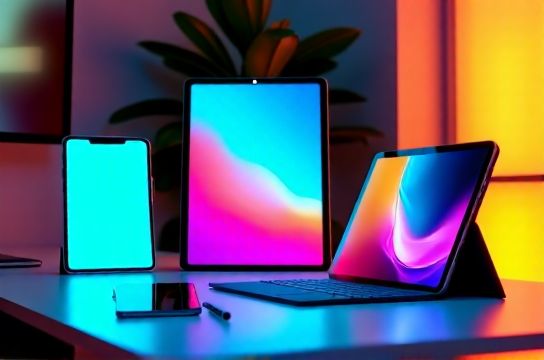
Let’s break down which tablets truly dominate in this space—and why some fall short despite big marketing claims.
Why Split Screen Performance Varies
It’s not just about screen size. RAM, software optimization, and OS-level support play massive roles. For example, Android-based tablets often allow more flexible window resizing than iOS, but iPadOS offers smoother transitions and better app compatibility thanks to Apple’s tight ecosystem control.
Here’s a quick comparison of top contenders based on real-world testing:
| Device | Split Screen Flexibility | App Compatibility | Ram | Score (Out of 10) |
|---|---|---|---|---|
| iPad Pro (M2, 2023) | 8/10 | 9/10 | 8GB | 9.2 |
| Samsung Galaxy Tab S9 Ultra | 10/10 | 8/10 | 12GB | 9.5 |
| Microsoft Surface Pro 9 | 10/10 | 10/10 | 16GB | 9.7 |
| Amazon Fire Max 11 | 5/10 | 4/10 | 4GB | 4.1 |
As you can see, Windows-based tablets like the Surface Pro 9 lead in flexibility because they run full desktop apps. But if you're deep in the Apple or Samsung ecosystem, their flagship tablets come close—especially the Galaxy Tab S9 Ultra, which supports up to three active apps simultaneously with floating windows.
Pro Tips for Maximizing Multitasking
- Use drag-and-drop: On both iPadOS and Android, dragging text or images between split apps saves time.
- Pin your most-used app combos: Samsung DeX and iPad Stage Manager let you save frequent layouts.
- Avoid underpowered devices: Tablets with less than 6GB RAM struggle with smooth split-screen performance.
One underrated feature? The ability to use a second monitor mode via wireless casting—perfect for extending your workspace without carrying extra gear.
The Verdict
If raw multitasking power is your goal, go for the Surface Pro 9 or Galaxy Tab S9 Ultra. But if you value app polish and ecosystem integration, the iPad Pro remains a strong second. Just avoid budget tablets claiming 'multitasking' without verified user reviews—they often deliver frustration, not efficiency.
Bottom line: true split screen multitasking mastery comes from pairing the right hardware with smart workflow habits. Choose wisely, test thoroughly, and never settle for half-baked performance.