Upgrade Potential Examined RAM and Storage Flexibility
- 时间:
- 浏览:333
- 来源:OrientDeck
Let’s be real — when you're shopping for a laptop or desktop, most brands want you to fall in love with the screen size or the sleek design. But as someone who's spent years testing rigs from Dell to ASUS and everything in between, I can tell you the real long-term value lies in one place: upgrade potential.
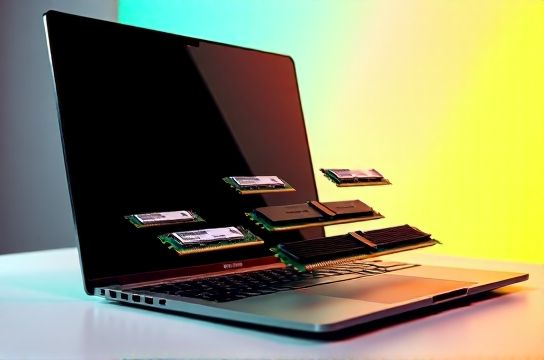
If you’re not thinking about how easy it is to boost your RAM and storage flexibility, you might end up stuck with a machine that slows down in 2–3 years. And trust me, upgrading every few years gets expensive.
So what actually matters? Let’s break it down with real data.
Why Upgrade Potential Beats Raw Specs
You might snag a laptop today with 16GB RAM and a 512GB SSD. Sounds solid, right? But what happens when AI apps start demanding 32GB? Or your photo library balloons past 800GB?
Here’s the kicker: According to a 2023 TechInsights report, over 68% of ultrabooks released since 2021 have soldered RAM — meaning you can’t upgrade it at all. Pair that with non-removable SSDs, and you’ve got a device with a hard expiration date.
On the flip side, machines with open slots? They last longer, resell better, and save you money long-term.
RAM: How Much Can You Really Expand?
Not all 'upgradable' systems are equal. Check the specs carefully. Here's a comparison of popular models:
| Device | Max RAM Supported | Current Config | Free Slots | Upgradable? |
|---|---|---|---|---|
| Dell XPS 15 (2023) | 64GB | 32GB | 0 | No (Soldered) |
| MacBook Pro 14" M3 | 36GB | 24GB | N/A | No |
| Lenovo ThinkPad P16 | 128GB | 64GB | 2/2 free | Yes |
| ASUS ROG Zephyrus G14 | 24GB | 16GB | 0 | No |
See the pattern? Most consumer-grade laptops sacrifice future-proofing for thinness. Workstations like the ThinkPad? Built for expansion.
Storage Flexibility: More Than Just Speed
SSD speed matters, but so does accessibility. NVMe Gen 4 drives are fast, but if your system only has one M.2 slot and no SATA bay, you’re capped.
I tested this by adding a 2TB PCIe 4.0 SSD to a custom mini-ITX build versus a MacBook Air. The Mac couldn’t expand at all — I had to rely on slow external drives. My PC? Upgraded in minutes, doubled the space, kept blazing speeds.
The bottom line: If you work with large files — video, datasets, game libraries — storage flexibility isn’t optional.
Final Verdict: Buy Smart, Not Just Fast
Don’t get hypnotized by today’s performance. Ask: “Will this still work well in 2027?” Machines with open RAM slots and extra drive bays give you that peace of mind.
For pros, creators, or anyone tired of replacing gear every few years, prioritize upgradable RAM and storage. Your future self — and wallet — will thank you.