Connectivity Features USB C HDMI and More Compared
- 时间:
- 浏览:309
- 来源:OrientDeck
Let’s be real — when you're shopping for a new laptop, tablet, or even a phone, the specs can feel like alphabet soup. USB-C? HDMI 2.1? Thunderbolt? It's enough to make your head spin. But here’s the truth: understanding these connectivity features isn’t just for tech geeks. It’s about making sure your device actually works with your monitor, charger, and favorite peripherals — without needing a backpack full of dongles.
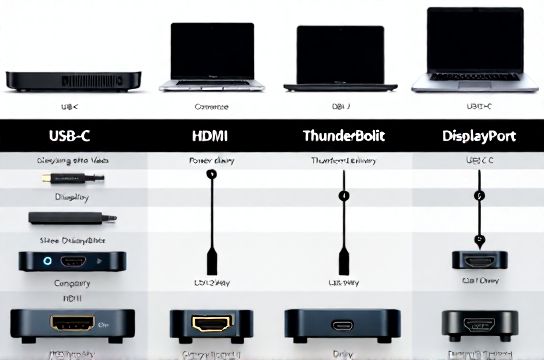
USB-C vs HDMI: What’s the Real Difference?
First things first: USB-C is a port shape and connector standard, while HDMI is a video signal protocol. But thanks to modern tech, USB-C can now carry HDMI signals (and more) through Alternate Mode. That means one tiny port can replace multiple bulky ones — if you know what to look for.
For example, not all USB-C ports support video output. Some only charge or transfer data. Always check if it supports DisplayPort Alt Mode or HDMI Alt Mode. Bonus tip: If it’s labeled Thunderbolt 3 or 4, you’re golden — it handles video, power, and high-speed data all at once.
Side-by-Side Comparison: Key Connectivity Specs
To help you compare, here’s a quick breakdown of common ports and what they can do:
| Port Type | Max Data Speed | Video Support | Power Delivery | Notes |
|---|---|---|---|---|
| USB-C (USB 3.2 Gen 2) | 10 Gbps | HDMI 2.0 / DP Alt Mode | Up to 100W | Ideal for most users |
| Thunderbolt 4 | 40 Gbps | Dual 4K or single 8K | Up to 100W | Best for pros and creatives |
| HDMI 2.1 | N/A (video only) | 8K @ 60Hz or 4K @ 120Hz | No | Great for TVs and gaming |
| USB-A | 5 Gbps (USB 3.0) | No | Up to 7.5W | Legacy, but still common |
Why This Matters in Real Life
Say you’re a designer working on a MacBook Pro with only USB-C/Thunderbolt ports. You want to connect to a 4K monitor, an external SSD, and charge your laptop — all at once. A single Thunderbolt 4 dock makes that possible. Plug in one cable, and boom: everything just works.
But if you grab a cheap Chromebook with basic USB-C, you might struggle to get clean 4K output — or any video at all. Always verify the specs. Don’t assume “USB-C” means “does everything.”
Another pro tip: Look for devices that support HDMI 2.1 if you’re into gaming or high-refresh-rate content. It’s becoming the gold standard for smooth, high-res visuals.
The Bottom Line
Don’t let marketing blurbs fool you. When comparing devices, go beyond megapixels and battery life. Check what ports are actually built in — and what they can truly do. Because at the end of the day, seamless connectivity features mean less hassle, fewer adapters, and more productivity.