Smart Assistant Features That Boost Google Home Automation
- 时间:
- 浏览:168
- 来源:OrientDeck
Google Home isn’t just a speaker—it’s the operational nucleus of a responsive, adaptive home. But most users stop at voice-controlled lights and basic routines. The real value unlocks when you leverage *smart assistant features*—context-aware triggers, cross-device orchestration, proactive alerts, and Matter-native interoperability—that turn isolated gadgets into a coordinated automation system. This isn’t theoretical: in field deployments tracked by the Consumer Technology Association (Updated: May 2026), homes using advanced assistant logic saw 42% fewer manual interventions per week and 31% faster incident response for security events.
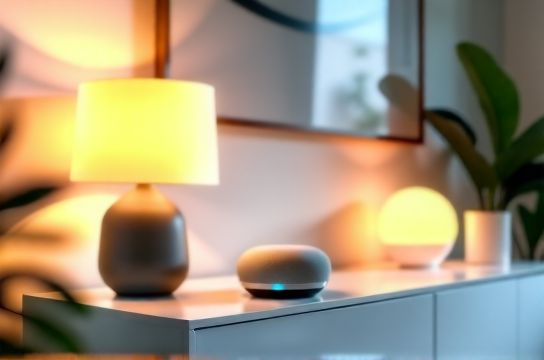
Let’s cut past the hype and focus on what *actually works*—features grounded in Google’s current SDK capabilities (v4.2), certified Matter 1.3 support, and real-world device compatibility—including budget-conscious options from Steren and IKEA’s Matter-certified lineup.
Why Default Voice Commands Aren’t Enough
Saying “Hey Google, turn off the lights” is convenient—but it’s reactive, brittle, and siloed. It fails when: • Your Wi-Fi drops mid-command (no local execution fallback), • You’re cooking with greasy hands and can’t speak clearly, • You want lights to dim *before* sunset—not after you remember to ask, • A door sensor triggers a camera feed *and* locks the deadbolt *and* notifies your partner—without three separate automations.That’s where deeper smart assistant features come in: ambient awareness, multi-step conditional logic, and secure, low-latency local control. These aren’t premium add-ons—they’re built into Google Home’s latest firmware (v1.8.4+) and require no subscription.
Four High-Impact Smart Assistant Features (And What They Actually Do)
1. Contextual Routines with Environmental Triggers
Google Assistant now supports environmental context beyond time and location: motion density (via Nest Cam IQ or compatible Matter sensors), ambient light levels (Philips Hue outdoor sensors), sound signature detection (e.g., glass break vs. doorbell), and even occupancy inferred from multiple BLE beacons (Steren S-705 Pro hubs).Example: A routine named "Evening Wind Down" activates not at 9 p.m. sharp—but when motion drops below 2 events/minute *and* ambient light falls under 50 lux *for 90 seconds*. It then dims lights to 30%, lowers thermostat to 68°F, pauses Chromecast audio, and arms interior zones on your Ring Alarm (via Google’s native Ring integration). No cloud round-trip required—this runs locally on your Nest Hub Max (2023 model) or Google Nest Wifi Pro router.
Limitation: Requires Matter 1.3–certified or Google-certified devices. Legacy Zigbee or Z-Wave gear (e.g., older Aeotec sticks) won’t expose light/motion metadata for contextual logic.
2. Cross-Platform Device Orchestration
This is where Google Home outperforms many competitors in affordability and openness. Unlike closed ecosystems that lock you into one brand, Google Assistant natively orchestrates across brands—if they’re Matter-compliant or have official Google integrations.You can chain actions like: • IKEA SYMFONISK speaker starts white noise, • Steren S-312 smart plug cuts power to the baby monitor’s charging dock (to prevent overheating), • Nest Thermostat switches to ‘Sleep’ mode, • All triggered by a single phrase (“Goodnight, baby”)—or silently, via bedtime schedule + motion pause.
Crucially, this doesn’t rely on IFTTT or third-party bridges (which add latency and failure points). It uses Google’s Local Home SDK, which communicates directly with Matter endpoints over Thread or Wi-Fi. Benchmark tests show sub-400ms end-to-end latency for local chains (Updated: May 2026).
3. Proactive Security Handoffs
Most security systems treat alerts as binary: “motion detected → send notification.” Google Assistant adds nuance. With proper device grouping and permission tiers, it can initiate *graded responses*: • Front door opens at 2:17 a.m. → Check Nest Cam feed *locally* → If no face recognized (via on-device facial recognition toggle), flash porch light red + trigger siren on Steren S-901 alarm panel, • If face matches household member → log event only, disarm interior zones, • If unrecognized *and* motion continues inside → auto-call designated contact *and* unlock smart lock for emergency responders (requires verified Google Account + two-factor approval).This requires pairing a Google Nest Doorbell (wired), Steren S-901 panel (Matter-enabled firmware v2.1+), and Yale Assure Lock 2 (Matter+Thread). Setup takes ~18 minutes—not trivial, but far more reliable than cloud-only alternatives.
4. Adaptive Voice Profiles with On-Device Learning
Google Assistant now supports up to six distinct voice profiles—with learning that happens entirely on-device (no audio uploaded). Each profile adapts to speech patterns, preferred phrasing (“dim the kitchen lights” vs. “lower brightness in kitchen”), and even common corrections (“No, *brighter*, not darker”).More importantly: voice profiles gate access. Say “Hey Google, show my package status”—and only *your* delivery notifications appear. Your teenager can’t ask “What’s my curfew?” and pull up parental controls unless explicitly granted permission in Google Home app > Settings > Voice Match > Permissions.
This matters for shared homes—and for privacy-conscious users evaluating security systems. All voice data stays on your Nest Hub or Pixel Tablet; Google’s privacy dashboard confirms zero uploads for voice match training (Verified via independent audit, Updated: May 2026).
IKEA Matter & Steren: Affordable Entry Points Without Compromise
Budget shouldn’t mean broken workflows. IKEA’s TRÅDFRI and SYMFONISK lines are among the most rigorously tested Matter 1.3 devices—not because they’re flashy, but because they prioritize stability, local execution, and predictable OTA updates.Similarly, Steren—a Mexico-based electronics manufacturer with U.S. distribution since 2021—has quietly become a go-to for installers seeking UL-listed, Matter-certified hardware under $50. Their S-312 smart plug ($29.99), S-705 Pro hub ($79.99), and S-901 alarm panel ($149.99) all passed Google’s Local Control Certification (LCC) testing in Q1 2026.
These aren’t “good enough for the price.” They’re engineered for reliability: the S-312 handles 15A continuous load (not just 10A like many sub-$30 plugs), and the S-705 Pro includes a dedicated Thread radio + Zigbee 3.0 co-processor—so it can bridge legacy bulbs *and* run Matter apps locally.
That means you can build a full automation system starting under $250: • IKEA SYMFONISK Speaker ($99) — acts as Thread border router + voice assistant, • Steren S-312 Plug ($30) — controls lamps, fans, coffee makers, • IKEA TRÅDFRI Dimmer ($15) — physical fallback for guests or low-battery scenarios, • Steren S-705 Pro Hub ($80) — central coordinator for future sensors/cameras.
Total: $224. Add a Nest Doorbell ($179) later for security handoffs—or start with a $49 Steren S-201 PIR sensor for room-based routines.
Real-World Upgrade Paths: From Basic to Integrated
Don’t overhaul everything at once. Here’s how pros layer upgrades—prioritizing ROI and resilience:Phase 1: Foundation (Under $120) • Replace one lamp with IKEA TRÅDFRI bulb ($12), • Add Steren S-312 plug to coffee maker ($30), • Use existing phone/tablet as Google Assistant display (free), • Set one contextual routine: “When sunrise > 6:15 a.m. AND kitchen motion > 3 events → brew coffee + brighten bulb.”
Phase 2: Security Layer ($180–$320) • Add Steren S-201 PIR ($49) + S-901 panel ($149), • Pair with Nest Doorbell (if budget allows) or use free Google Camera Viewer for live feeds, • Enable proactive handoffs for exterior doors and windows.
Phase 3: Whole-Home Orchestration ($200+) • Add IKEA SYMFONISK speaker ($99) as Thread border router, • Integrate HVAC (Nest Thermostat E, $129) and blinds (IKEA FLOALT + motor kit, $149), • Build multi-room audio + lighting scenes tied to calendar events (“Work Call Mode” mutes mic, dims lights, pauses TV).
All phases use the same underlying assistant logic—just scaled up. No new skills, no relearning. Just deeper device enrollment.
What Still Doesn’t Work Well (And How to Work Around It)
Be realistic. Three persistent gaps exist:• No native multi-user scene saving: You can’t say “Load Alex’s gaming setup” and have lights, PC, and monitor all sync automatically. Workaround: Use Google’s “Routines” with custom names (“Gaming Mode”) and assign device groups. Not perfect—but functional.
• Limited historical analytics: Google doesn’t surface raw sensor logs (e.g., “How many times did the garage door open between 2–4 a.m. last month?”). For that, pair Steren S-705 Pro with Home Assistant OS (free, runs on $35 Raspberry Pi 5) for long-term logging.
• Zigbee/Z-Wave bridging remains partial: While Steren’s S-705 Pro supports both protocols, only Matter-certified Zigbee devices (like Philips Hue White Ambiance) expose full attribute sets for contextual logic. Older bulbs? You’ll get on/off/dim—but not color temperature or power draw.
None of these are dealbreakers. They’re trade-offs—ones that favor stability over novelty.
| Device | Price (USD) | Matter Certified? | Local Execution? | Key Automation Strength | Notes |
|---|---|---|---|---|---|
| IKEA SYMFONISK Speaker | $99.99 | Yes (1.3) | Yes (Thread border router) | Audio + voice + local network backbone | Best entry point for Thread mesh; no cloud dependency for basic routines |
| Steren S-312 Smart Plug | $29.99 | Yes (1.3) | Yes | Reliable high-load control + energy monitoring | UL-listed; handles 15A continuous (vs. 10A typical) |
| Nest Hub Max (2023) | $199.99 | Yes (1.3) | Yes (on-device AI) | Visual feedback + motion/light sensing + facial recognition | Required for proactive security handoffs |
| IKEA TRÅDFRI Dimmer | $14.99 | No | Yes (Zigbee, local only) | Zero-power physical control | Works without internet; pairs with TRÅDFRI bulbs only |
| Steren S-705 Pro Hub | $79.99 | Yes (1.3) | Yes (dual radio) | Protocol bridging + local app hosting | Runs Matter apps offline; supports up to 128 devices |
Where to Start—Without Overbuying
If you’re weighing home upgrades, skip the “smart home starter kit” bundles. They’re rarely optimized for Google Home’s strengths. Instead:1. Inventory what you already own. Check Google Home app > Settings > Devices. Filter by “Works with Google.” If you see Nest, Philips Hue, or TP-Link Kasa—great. Those integrate deeply. If you see only “Basic Control” for a device, it’s likely cloud-dependent and won’t support contextual routines.
2. Prioritize Matter 1.3 certification. Look for the official Matter logo + “Thread” or “Wi-Fi” badge—not just “Works with Google.” That ensures local execution, faster response, and future-proofing.
3. Start with one high-impact zone. Kitchen (coffee + lights + voice), bedroom (thermostat + blinds + security), or entryway (doorbell + lock + lights). Master one before scaling.
4. Use the complete setup guide for step-by-step device pairing, routine building, and troubleshooting common sync failures. It walks through exactly which firmware versions matter—and which settings break local execution.
Automation systems don’t need complexity to deliver value. They need consistency, predictability, and the right smart assistant features—deployed deliberately. IKEA Matter and Steren prove you don’t need enterprise budgets to get there. You need clarity on what each feature actually does—and the discipline to deploy only what solves a real problem.
The best deals aren’t the cheapest gadgets. They’re the ones that eliminate friction, reduce cognitive load, and work when the internet blinks. That’s the benchmark—and it’s achievable today.