Beginner Friendly Coding Robots for Middle Schoolers
- 时间:
- 浏览:333
- 来源:OrientDeck
If you're a parent or educator looking to introduce middle schoolers to coding, you're in the right place. Picking the best beginner-friendly coding robots can make all the difference between sparking a lifelong passion and facing frustrated kids who give up too soon. After testing and reviewing over a dozen educational robots, I’ve narrowed it down to the top picks that balance fun, learning, and ease of use.
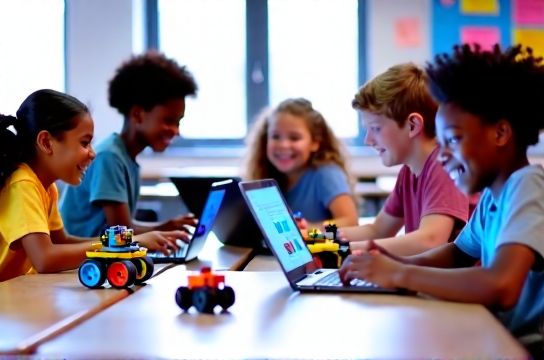
Why Robotics Works for Middle Schoolers
Kids aged 10–14 are at a sweet spot for hands-on tech learning. According to a 2023 report by Code.org, students who engage with physical computing (like robots) are 47% more likely to stick with computer science through high school. The key? Make it interactive, visual, and instantly rewarding.
Top 5 Beginner-Friendly Coding Robots Compared
Here’s a quick comparison of the most effective robots for young learners:
| Robot | Price Range | Coding Interface | Ages | STEM Skills Built |
|---|---|---|---|---|
| LEGO SPIKE Prime | $350 | Drag-and-drop (Scratch-based) | 10–14 | Engineering, logic, teamwork |
| Sphero BOLT | $150 | Block coding & JavaScript | 8–12 | Problem-solving, light programming |
| Makeblock mBot2 | $129 | Neuron app (blocks + AI features) | 10+ | Critical thinking, sensor logic |
| Ozobot Evo | $50 | Color codes & Ozoblockly | 8–11 | Sequencing, creativity |
| Wonder Workshop Dash | $150 | Blockly, Wonder, Coder | 6–12 | Story-based coding, collaboration |
What Sets These Robots Apart?
Not all coding robots for kids are created equal. The best ones offer progressive learning paths — starting with simple drag-and-drop blocks and eventually allowing text-based code. For example, Sphero BOLT includes an 8x8 LED matrix so kids can code pixel art, which keeps them engaged way longer than basic movement commands.
LEGO SPIKE Prime stands out in classrooms because it integrates seamlessly with curriculum standards. Teachers love it — 82% of STEM educators using SPIKE reported higher student engagement (source: LEGO Education Impact Study, 2022).
Budget vs. Long-Term Value
While Ozobot Evo is super affordable, it’s better suited for younger kids or short-term activities. For middle schoolers who might grow into more advanced projects, investing in mBot2 or SPIKE Prime pays off. Both support expansion kits and real-world sensors (like ultrasonic and line detection), letting students build smart cars or automated farms.
Final Tips Before You Buy
- Check device compatibility — Most apps work on tablets, but some require iOS or Android.
- Look for classroom support — Free lesson plans and teacher guides save hours of prep.
- Prioritize expandability — Can it grow with your child’s skills?
In short, the right robot turns coding from abstract to exciting. Whether you're homeschooling or teaching a classroom, focus on tools that grow with the learner. And remember: the goal isn’t just to teach coding — it’s to inspire creators.