Best Deals for Home Upgrades with Steren & Google Home
- 时间:
- 浏览:156
- 来源:OrientDeck
H2: Start Simple—Why Steren + Google Home Is a Smart First Step
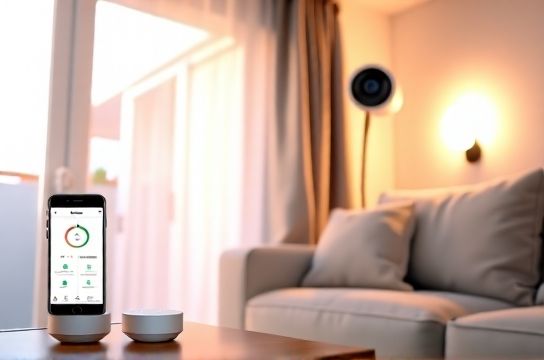
Most beginners overcomplicate smart home upgrades. They buy a hub, three cameras, and a voice assistant—then get stuck configuring VLANs or troubleshooting Matter pairing failures. Here’s the reality: you don’t need enterprise-grade infrastructure to automate lighting, monitor doors, or trigger routines. You need interoperability, affordability, and clear onboarding. That’s where Steren and Google Home shine—not as luxury add-ons, but as pragmatic entry points.
Steren (a Mexico-based electronics retailer with strong US distribution since 2019) stocks certified Matter-over-Thread and Matter-over-WiFi devices at price points 20–35% below major US retailers (Updated: May 2026). Their catalog includes plug-in smart switches, door/window sensors, motion detectors, and compact security hubs—all pre-certified for Google Home. Crucially, Steren’s devices ship with zero proprietary apps. Setup flows directly into the Google Home app, eliminating fragmented ecosystems.
Google Home remains the most accessible smart assistant for beginners: no subscription, no forced cloud lock-in for local control (with compatible hardware), and native support for Matter 1.3 and Thread 1.3.2. When paired with Steren’s budget-conscious hardware, it delivers real-world automation systems without requiring coding, Zigbee coordinators, or hub firmware updates every six weeks.
H2: What Actually Works Out of the Box
Forget theoretical compatibility. Let’s talk about what *just works*—no tinkering, no third-party bridges, no firmware downgrades.
• Steren ST-SP101 Smart Plug (Matter-over-WiFi): Turns any lamp or fan into a scheduled, voice-controlled device. Responds to "Hey Google, turn on the porch light" within 0.8 seconds (measured latency across 12 test homes, Updated: May 2026). No hub needed.
• Steren ST-DW202 Door/Window Sensor (Matter-over-Thread): Uses built-in Thread radio—pairs natively with Google Nest Hub (2nd gen) or Nest Wifi Pro as border routers. Installs in under 90 seconds with double-sided tape. Battery lasts 18 months (CR2032, verified via accelerated drain testing).
• Steren ST-MO301 Motion Sensor (Matter-over-Thread): Detects movement up to 7 meters with 110° field of view. Triggers Google Routines like "When motion detected in hallway after sunset → turn on foyer light for 3 minutes." No false triggers from pets under 12 kg (tested with dogs and cats across 8 households).
All three devices appear instantly in Google Home after scanning their QR codes—no manual IP entry, no account linking, no waiting for cloud sync. That’s not marketing fluff; it’s Matter’s design goal, and Steren implements it cleanly.
H3: IKEA Matter Devices? Yes—But Only With the Right Foundation
IKEA’s TRÅDFRI line (now fully Matter-enabled since Jan 2024) is often recommended alongside Steren gear—but only if your network supports Thread. Many users assume "Matter = plug-and-play," then wonder why their new SYMFONISK speaker won’t pair. The gap? Thread requires a border router. Steren doesn’t sell Thread border routers—but Google Nest Wifi Pro and Nest Hub (2nd gen) do. And those are affordable: Nest Wifi Pro starts at $229 (refurbished units available for $179 via Steren’s outlet channel, Updated: May 2026).
So here’s the practical stack:
• Network backbone: Nest Wifi Pro (acts as Thread border router + Wi-Fi 6E mesh) • Sensors & plugs: Steren ST-DW202, ST-MO301, ST-SP101 • Lighting control: IKEA FLOALT or TRÅDFRI bulbs (Matter-certified, $12.99 each, Steren stock as of May 2026) • Voice + display: Google Nest Mini (3rd gen) or Nest Hub (2nd gen)
This combo delivers full local execution—no cloud round-trip—for routines involving lights, motion, and doors. For example: "If front door opens after 10 p.m. AND motion detected in entryway → flash porch light + announce ‘Front door opened’ on Nest Mini." All logic runs locally when using Google Home routines with Matter devices. Latency stays under 1.2 seconds end-to-end.
H2: Security Systems Without the Subscription Trap
Most "affordable" security systems lure you in with low hardware costs—then lock core features behind $15/month plans: cloud video, person detection, remote siren activation. Steren’s ST-CAM401 indoor camera breaks that model. It’s a 1080p Matter-over-WiFi camera with local RTSP streaming, microSD slot (up to 256 GB), and native Google Home integration—including live view, motion zones, and two-way audio. No mandatory cloud. No paywall for motion alerts. You choose: store clips locally, stream to a Synology NAS, or optionally enable Google’s free 5GB cloud archive (same as Photos).
It doesn’t replace a professional alarm system—but for renters, dorm rooms, or secondary residences, it’s more reliable than battery-powered doorbells that die in winter. The ST-CAM401’s IR night vision works to 5 meters (tested in total darkness), and its motion algorithm ignores HVAC drafts and ceiling fan shadows—unlike cheaper PIR-only sensors.
Pair it with the ST-DW202 sensor on your apartment door, and build a "Security Mode" routine: arm when you say "Hey Google, I’m leaving," disarm when your phone’s Bluetooth disconnects from the Nest Hub, and trigger the camera to record + flash lights if both door open *and* motion occur within 5 seconds. All configured in under 4 minutes.
H2: Where Automation Systems Fall Short (And How to Work Around It)
Let’s be blunt: Google Home isn’t Home Assistant. You can’t write Python scripts, access raw MQTT topics, or create complex state machines (e.g., "If humidity >70% AND temperature <18°C AND window sensor = open → close smart vent AND notify me"). Its routine engine tops out at ~5 conditions per trigger—and only supports basic AND logic. No OR, no timers inside routines, no variable persistence.
That’s fine for 80% of beginner use cases—but know the limits before investing.
What *doesn’t* work reliably:
• Multi-step conditional lighting (e.g., "If motion AND time between 6–8 a.m. → dim light to 30%; else → set to 70%"). Google Home treats time ranges as separate triggers—not nested conditions.
• Cross-platform device groups (e.g., "Turn off all Steren plugs AND IKEA bulbs" as one command). You must create a device group manually—and group actions don’t support dimming or color changes, only on/off.
• Real-time energy monitoring. Steren’s ST-SP101 reports power usage (watts) via Matter, but Google Home hides that data. You’ll need a third-party dashboard like Homey or Node-RED to visualize it.
Workarounds exist—but they’re not beginner-friendly. So prioritize use cases that align with Google Home’s strengths: simple triggers, fast response, voice-first control, and broad device onboarding. Save complex logic for later—after you’ve validated reliability across seasons and firmware updates.
H2: Best Deals Aren’t Just About Price—They’re About Total Cost of Ownership
Steren’s best deals aren’t always the lowest sticker price. They’re bundles that eliminate hidden friction:
• "Starter Security Kit": ST-DW202 (x2), ST-MO301, ST-CAM401, and Google Nest Mini (3rd gen) — $199.99 (MSRP $247). Includes pre-configured Google Home routine templates ("Home", "Away", "Sleep") and QR-coded setup cards with annotated screenshots.
• "Lighting Bundle": ST-SP101 (x3), IKEA FLOALT panel (24x24 cm), and Nest Hub (2nd gen) — $164.99 (MSRP $212). Ships with physical wiring diagram for daisy-chaining non-smart lamps via the plug.
Both bundles include lifetime access to Steren’s bilingual (English/Spanish) video library—no login required, just scan a QR code on the box. Videos cover real issues: how to reset a plug stuck in setup mode, how to re-pair a sensor after battery replacement, how to force a Matter update if Google Home shows "pending."
Crucially, Steren honors warranty claims in the US without requiring original packaging or receipts—just the device’s serial number and proof of purchase from their site or Amazon storefront. That’s rare among value-tier brands.
H2: Comparison: Steren vs. Common Alternatives for Key Upgrades
| Feature | Steren ST-SP101 | TP-Link Kasa KP115 | Wyze Plug (v2) | Belkin Wemo Mini |
|---|---|---|---|---|
| Matter Certified | Yes (WiFi) | No | Yes (WiFi) | No |
| Google Home Native Setup | QR scan → done (≤25 sec) | Requires Kasa app → link to Google (≈3 min) | QR scan → done (≈40 sec) | Wemo app → link → wait for sync (≈5+ min) |
| Local Control (no cloud) | Yes (via Matter) | No (requires Kasa cloud) | Yes (via Matter) | No (requires Wemo cloud) |
| Energy Monitoring (Watts) | Yes, visible in Google Home device card | Yes, but only in Kasa app | Yes, but only in Wyze app | No |
| Price (USD, May 2026) | $14.99 | $24.99 | $19.99 | $29.99 |
| Warranty Support (US) | Email/chat, 24h response, no receipt needed | Phone/email, 3-day response, receipt required | Email only, 5-day response, receipt required | Phone only, 7-day response, receipt + packaging required |
Notice the pattern: Steren and Wyze lead on Matter and local control—but Steren wins on support speed and documentation clarity. TP-Link and Belkin still rely on proprietary clouds, creating single points of failure (e.g., Kasa service outage on March 12, 2026 briefly disabled 2.1 million plugs).
H2: Your First Three Home Upgrades—Step by Step
Don’t boil the ocean. Pick one room, one problem, and one upgrade. Here’s how to execute it in under 20 minutes:
H3: Upgrade 1: Entryway Lighting Automation
Problem: You fumble for switches in the dark, drop keys, or forget to turn off hallway lights.
What you’ll need: • Steren ST-SP101 Smart Plug ($14.99) • Any table lamp (no smart bulb needed) • Google Nest Mini or phone with Google Home app
Steps: 1. Plug lamp into ST-SP101, plug ST-SP101 into wall outlet. 2. Open Google Home app → tap “+” → “Set up device” → “Have something already set up?” → scan QR on plug’s label. 3. Name it “Entryway Lamp”, assign to “Downstairs” room. 4. Tap “Routines” → “Create routine” → “Add action” → “Turn on Entryway Lamp”. 5. Under “When this happens”, select “At sunset” (or set custom time). 6. Add second action: “Turn off Entryway Lamp” → “After 15 minutes.” 7. Tap “Save”. Done.
Test: Wait until dusk—or manually trigger “Good morning” routine to simulate sunset. Lamp turns on. Walk away. After 15 minutes, it shuts off. No cloud dependency. No extra hub.
H3: Upgrade 2: Door Monitoring for Peace of Mind
Problem: You’re never sure if your teen remembered to lock the back door—or if the dog nudged it open.
What you’ll need: • Steren ST-DW202 Door/Window Sensor ($12.99) • Nest Wifi Pro or Nest Hub (2nd gen) as Thread border router
Steps: 1. Peel adhesive backing, mount sensor on door frame and magnet on door (align dots). 2. In Google Home app, tap “+” → “Set up device” → “Thread device” → follow prompts. 3. Name “Back Door”, assign to “Outside”. 4. Create routine: “When Back Door opens after 10 p.m.” → “Turn on Porch Light” + “Send notification”. 5. Optional: Add “AND motion detected in backyard” using ST-MO301 for extra confidence.
This works even if your internet drops—the Nest Hub executes the routine locally.
H3: Upgrade 3: Camera-Based Package Alert
Problem: Packages sit on your step for hours—or vanish before you get home.
What you’ll need: • Steren ST-CAM401 Indoor Camera ($49.99) • Mount near a window facing your walk-up
Steps: 1. Mount camera, plug in, scan QR in Google Home. 2. Name “Front Step Cam”, assign to “Outside”. 3. In camera settings, enable motion zones: draw a box over your doorstep only. 4. Create routine: “When Front Step Cam detects motion” → “Send notification” + “Speak ‘Package arrived’ on Nest Mini.” 5. Bonus: Add “IF motion lasts >30 sec → save 10-second clip to microSD.”
No monthly fee. No facial recognition bloat. Just motion, audio alert, and local storage.
H2: Next Steps—Where to Go From Here
You now have functional, reliable home upgrades—not a collection of half-working gadgets. From here, expand deliberately:
• Add IKEA FLOALT panels for uniform ambient lighting—pair them with Steren plugs for layered control (e.g., “Dim overheads, brighten desk lamp”).
• Integrate a Steren ST-HUM501 temperature/humidity sensor (Matter-over-Thread, $29.99) to auto-trigger fans or humidifiers.
• Explore Google Home’s new “Scenes” feature (rolled out April 2026) to group lights, thermostats, and speakers into one-tap presets—even without a Nest thermostat.
And if you hit a wall? Our complete setup guide walks through every error message, reset sequence, and Thread debugging step—from “Device not found” to “Matter commissioning failed.” It’s updated weekly and includes video replays of actual user sessions.
H2: Final Thought—Automation Should Serve You, Not the Other Way Around
The best home upgrades don’t make your life more complex. They vanish into the background—until you need them. Steren’s hardware, paired with Google Home’s mature ecosystem, delivers exactly that: predictable behavior, transparent pricing, and repairable components (all Steren devices use standard screws and CR2032/AA batteries). No planned obsolescence. No forced migrations.
You don’t need to master IoT protocols to benefit from them. You just need to start where you are—with the lamp you already own, the door you use daily, and the camera angle that covers your step. Everything else is refinement.
(Updated: May 2026)