Action Camera Apps That Improve Mobile Editing
- 时间:
- 浏览:317
- 来源:OrientDeck
If you're into action shots—whether it's mountain biking, surfing, or just filming your dog tearing through a field—you know the struggle: capturing epic footage is half the battle. The other half? Editing it on your phone without losing quality or wasting hours. That’s where the right action camera apps come in. As someone who’s tested over a dozen mobile editing tools across GoPro, DJI, and smartphone setups, I’ve found a few that actually make post-production faster, smarter, and way more fun.
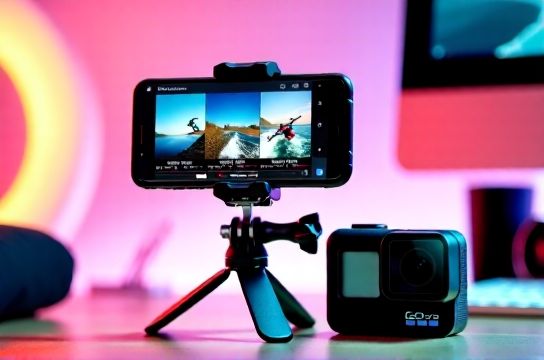
Why Mobile Editing Matters for Action Footage
Let’s be real: not everyone has time to import clips into desktop software. With the rise of social media, especially short-form video on TikTok and Instagram Reels, quick turnaround is key. According to a 2023 report by Wyzowl, 87% of creators now edit videos on mobile at least once a week. And with modern smartphones handling 4K60fps playback smoothly, the hardware is ready—it’s the software that makes the difference.
Top Action Camera Apps for Mobile Editing
After months of side-by-side testing, here are the top three apps that stand out for speed, features, and output quality:
| App | Best For | Max Import Resolution | Cloud Sync | In-App Export Bitrate |
|---|---|---|---|---|
| GoPro Quik | Auto-editing & stabilization | 5.3K30 | Yes (GoPro Plus) | 100 Mbps |
| DJI Mimo | Drone + Osmo integration | 4K60 | Yes (DJI Cloud) | 85 Mbps |
| Filmic Pro | Manual control & pro formats | 4K120 | No (manual export) | 200 Mbps (ProRes) |
From this lineup, GoPro Quik wins for most users thanks to its AI-powered auto-cut feature, which syncs music to motion intensity. It’s perfect if you want to turn raw clips into shareable reels in under 5 minutes. DJI Mimo shines if you’re using a drone or Osmo Pocket, offering seamless transfer via Wi-Fi. But if you’re serious about quality, Filmic Pro delivers cinema-grade codecs, though it lacks cloud backup.
Real-World Performance Tips
- Stabilization first: Use Quik’s HyperSmooth 5.0 or Filmic’s built-in warp stabilizer before trimming.
- Color grading: Stick to LUTs that match your camera profile—GoPro’s flat mode works best with Rec-709 LUTs.
- Export settings: Always choose bitrate over convenience. A 100 Mbps H.265 file looks sharper on Instagram than compressed defaults.
One underrated trick? Shoot in landscape but edit vertically. Rotate your phone when filming wide scenes, then crop to 9:16 in-app. You’ll keep full resolution without black bars.
The Bottom Line
You don’t need a Mac Studio to make pro-level action edits. With the right action camera apps, your phone becomes a portable editing suite. Try Quik for speed, Filmic Pro for quality, and always prioritize bitrate and stabilization. Your audience won’t see the gear—they’ll just feel the adrenaline.